 HoldMyTwist
Episode 48
The Moon That Changed Every Window
Duck attempts to change the moon colour in a small indexed colour image, and also manages to change both windows.
Episode transcript
A shared pot of paint
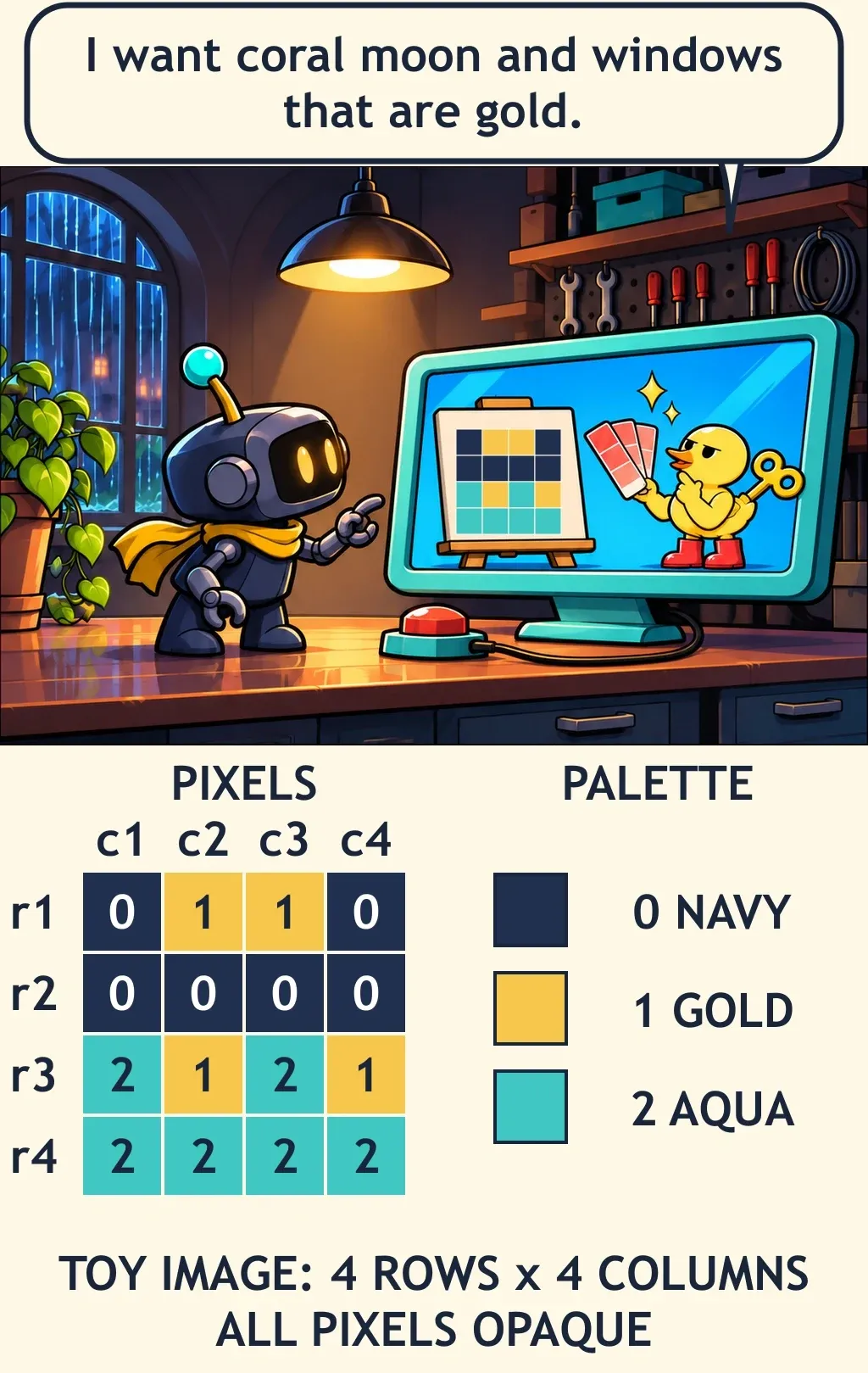
Duck is showing the coral swatch in the monitor next to the demo board. Robot is outside watching. Teaching diagram: 4x4 city image (with gold moon) and 2 gold windows.
Diagram values: TOY IMAGE: 4 ROWS x 4 COLUMNS; ALL PIXELS OPAQUE
Duck: I want coral moon and windows that are gold.
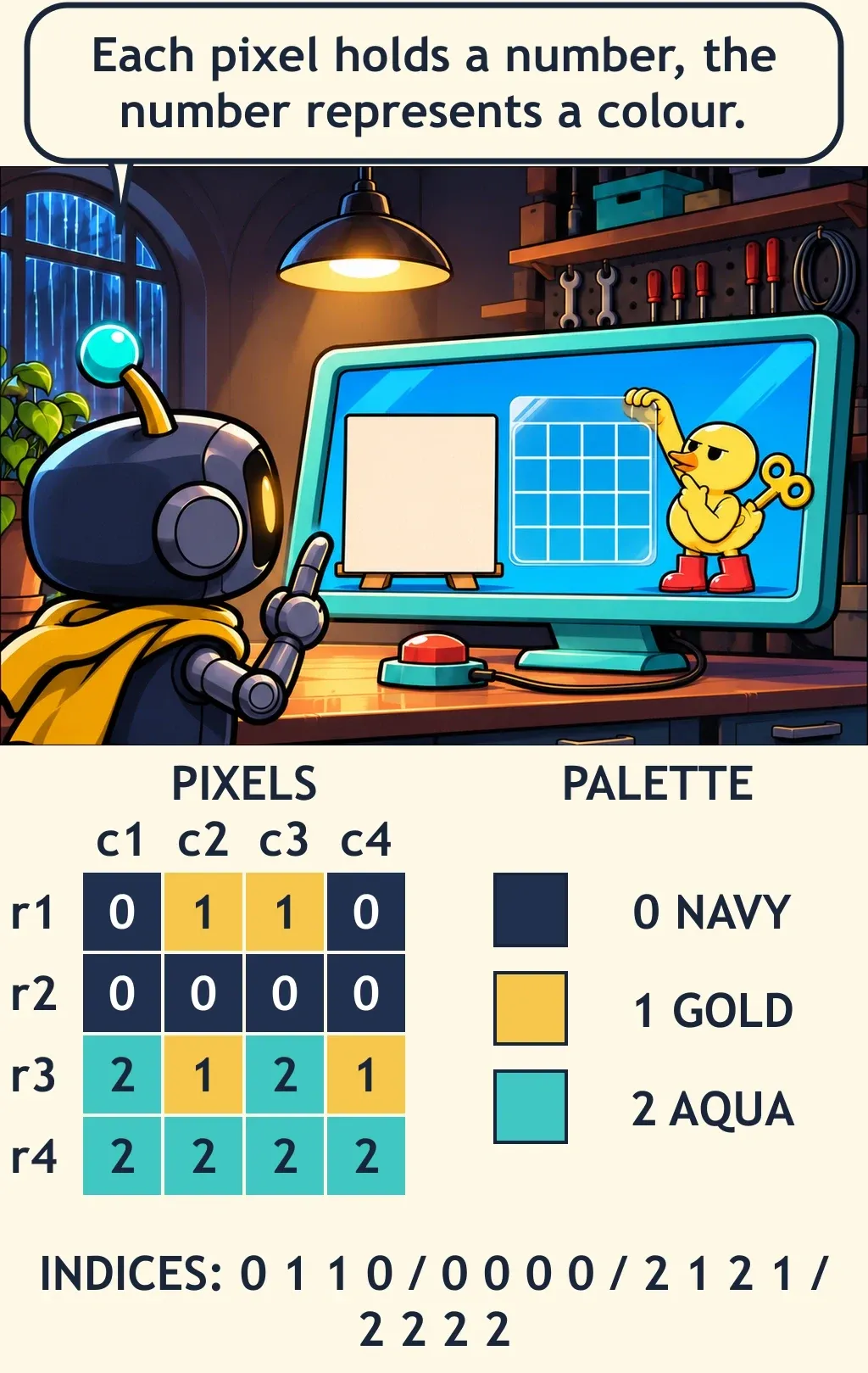
Duck holds a see-thru 4x4 grid next to a blank demo board.
Diagram values: INDICES: 0 1 1 0 / 0 0 0 0 / 2 1 2 1 / 2 2 2 2
Robot: Each pixel holds a number, the number represents a colour.
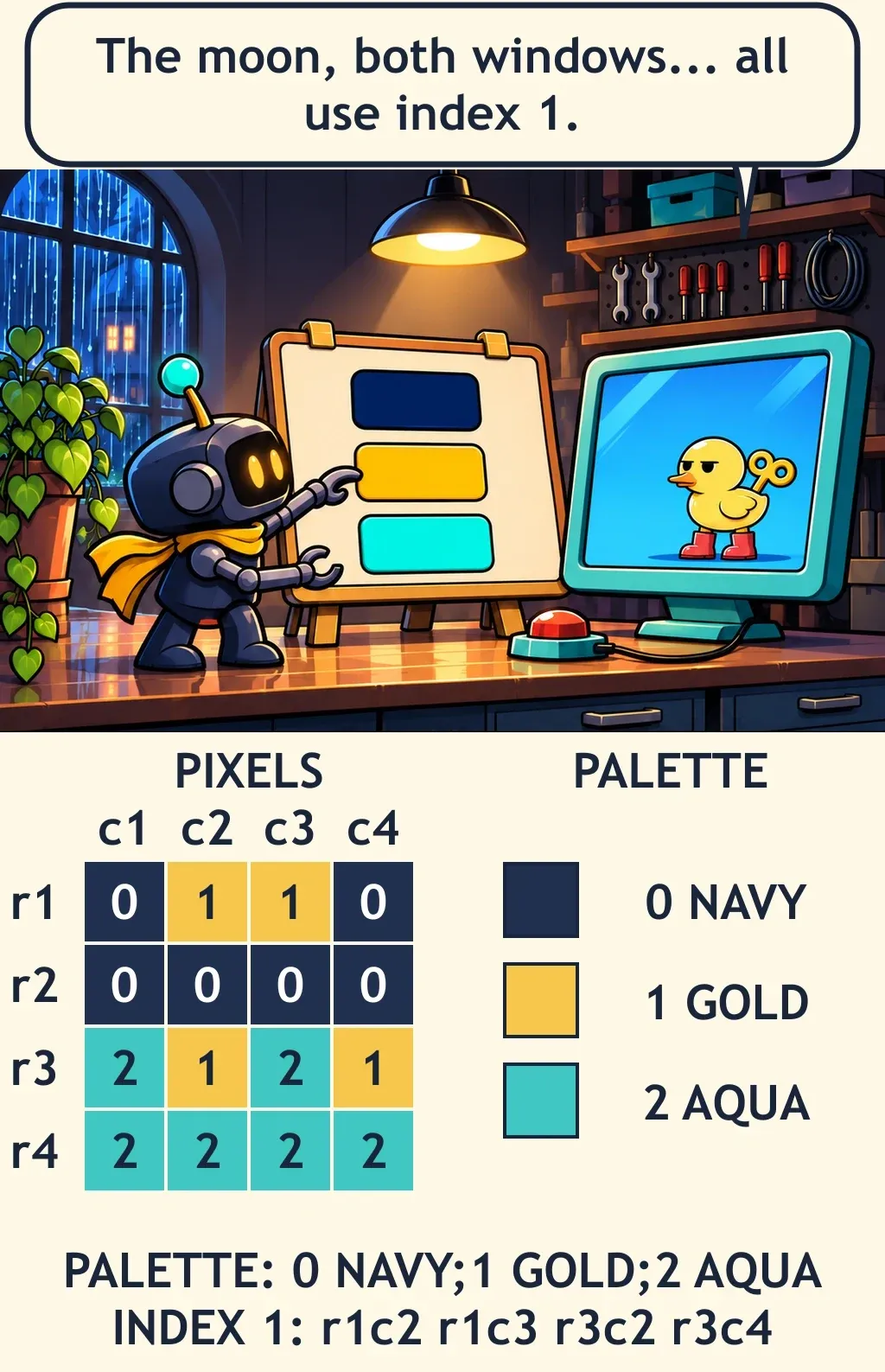
Duck and Robot look at their mutual colour table. The diagram shows 4 pixels of index 1: the two moon pixels (row 1 cols 2 and 3) and the windows (row 3 cols 2 and 4).
Diagram values: PALETTE: 0 NAVY;1 GOLD;2 AQUA; INDEX 1: r1c2 r1c3 r3c2 r3c4
Duck: The moon, both windows... all use index 1.
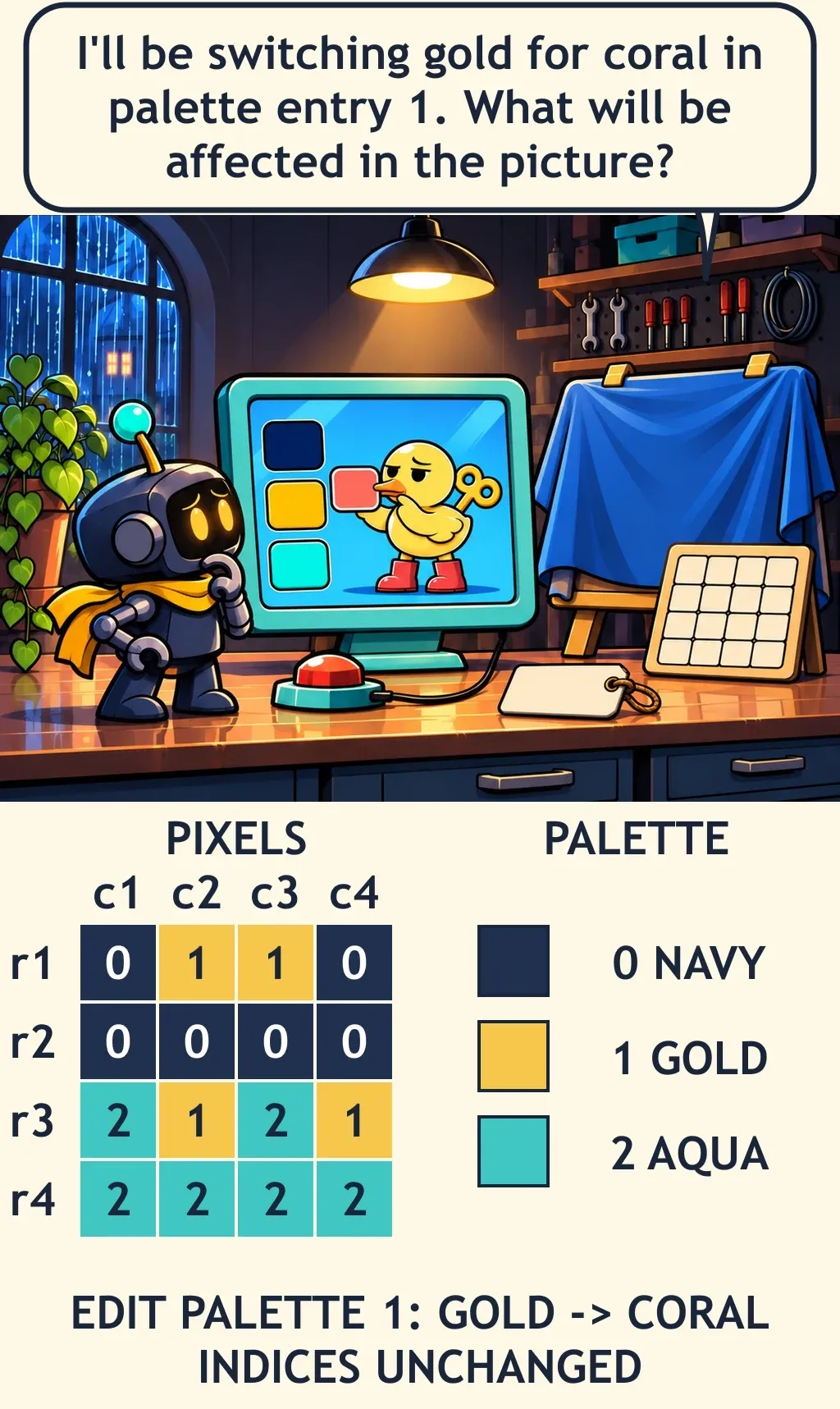
Duck is holding the coral sample near palette entry 1. The result board is still closed. The index map stored is still visible and unchanged.
Diagram values: EDIT PALETTE 1: GOLD -> CORAL; INDICES UNCHANGED
Duck: I'll be switching gold for coral in palette entry 1. What will be affected in the picture?
The windows change too
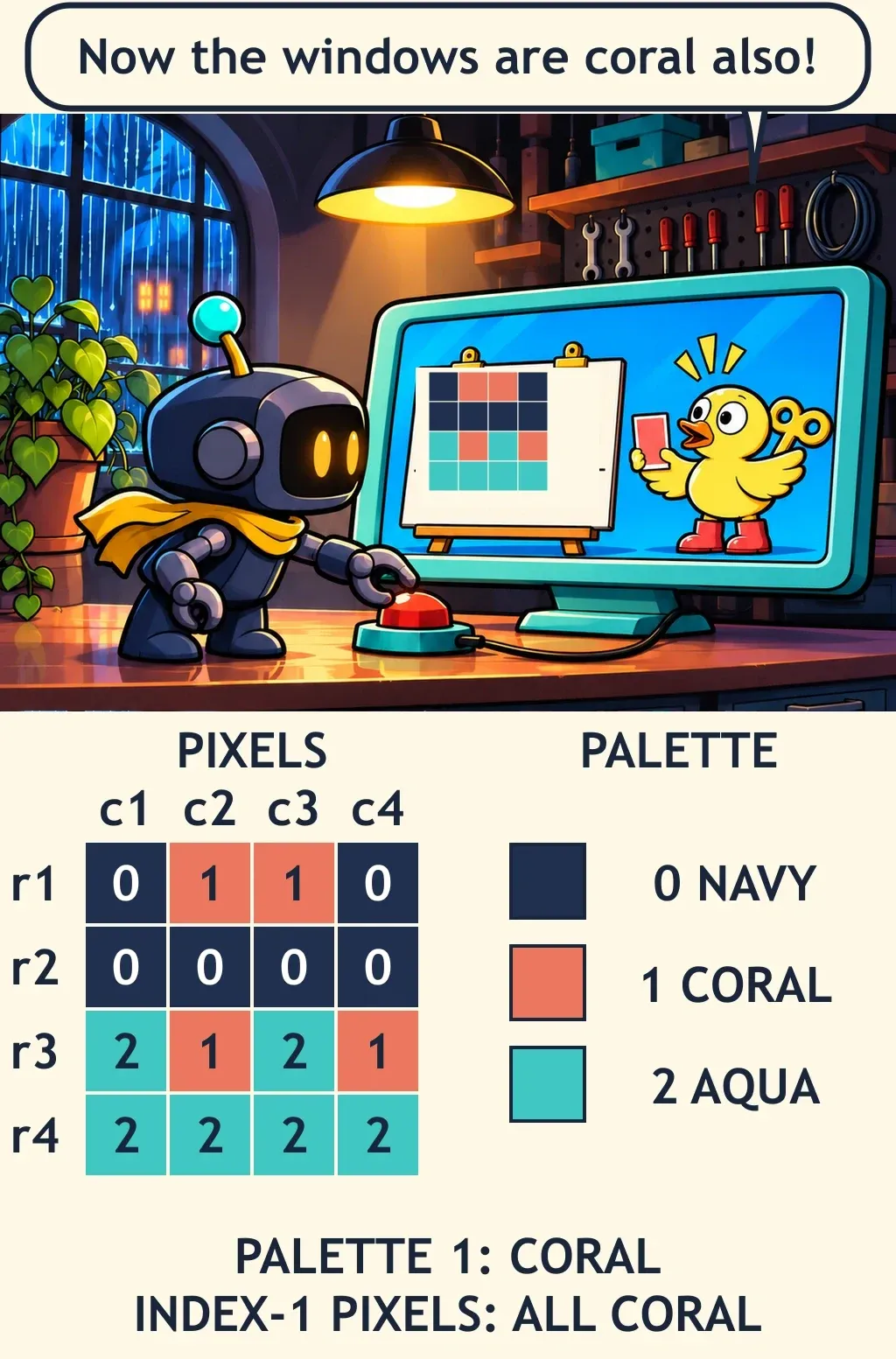
Duck is shocked and next to the board. The diagram that's shown is that the moon and both windows are coral colored. The navy sky and aqua buildings remain as is.
Diagram values: PALETTE 1: CORAL; INDEX-1 PIXELS: ALL CORAL
Duck: Now the windows are coral also!
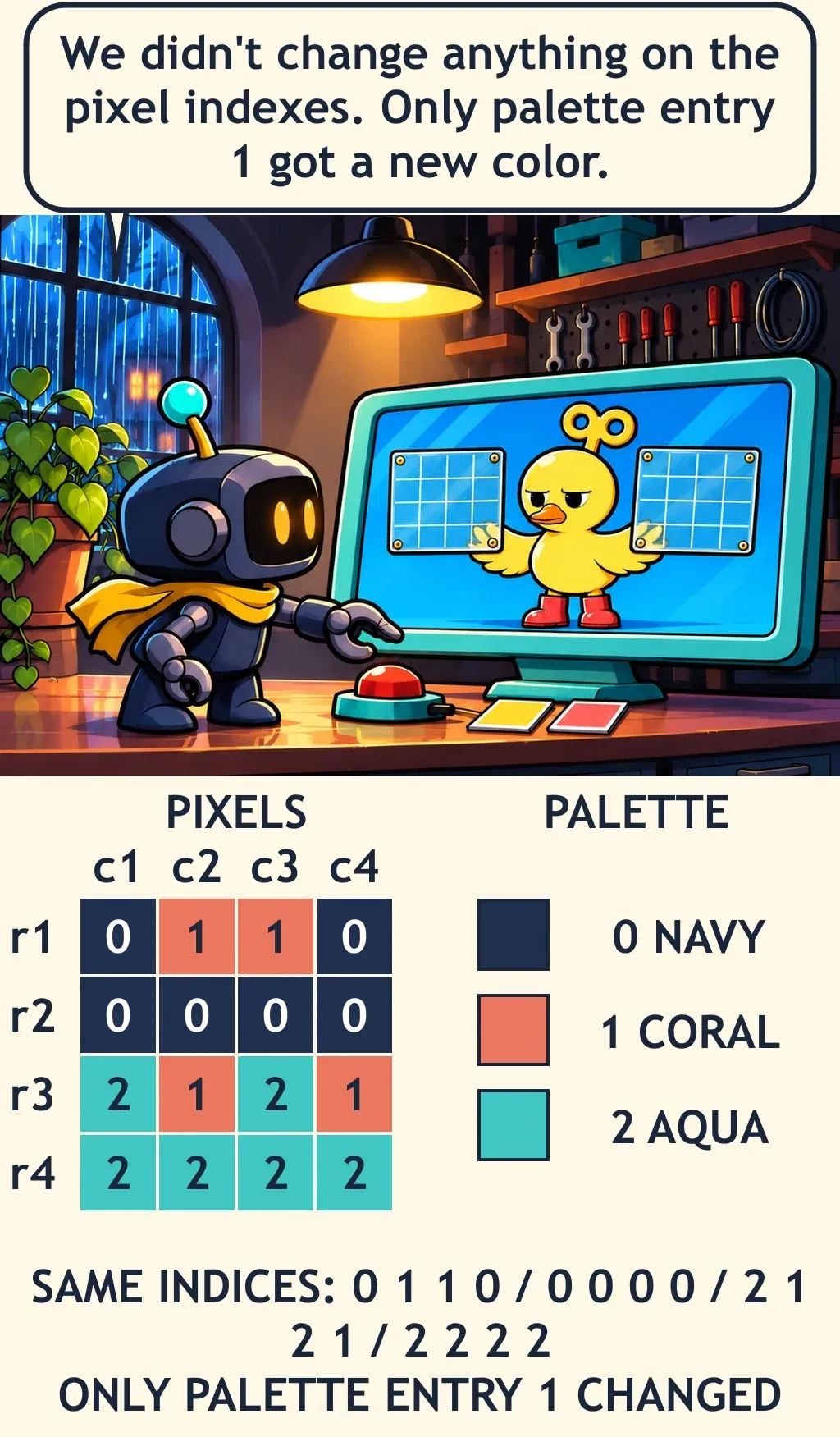
Duck shows two index sheets - Robot is watching. The diagram is showing the same 16 indices before and after the palette edit. The only change is palette entry #1 from gold to coral.
Diagram values: SAME INDICES: 0 1 1 0 / 0 0 0 0 / 2 1 2 1 / 2 2 2 2; ONLY PALETTE ENTRY 1 CHANGED
Robot: We didn't change anything on the pixel indexes. Only palette entry 1 got a new color.
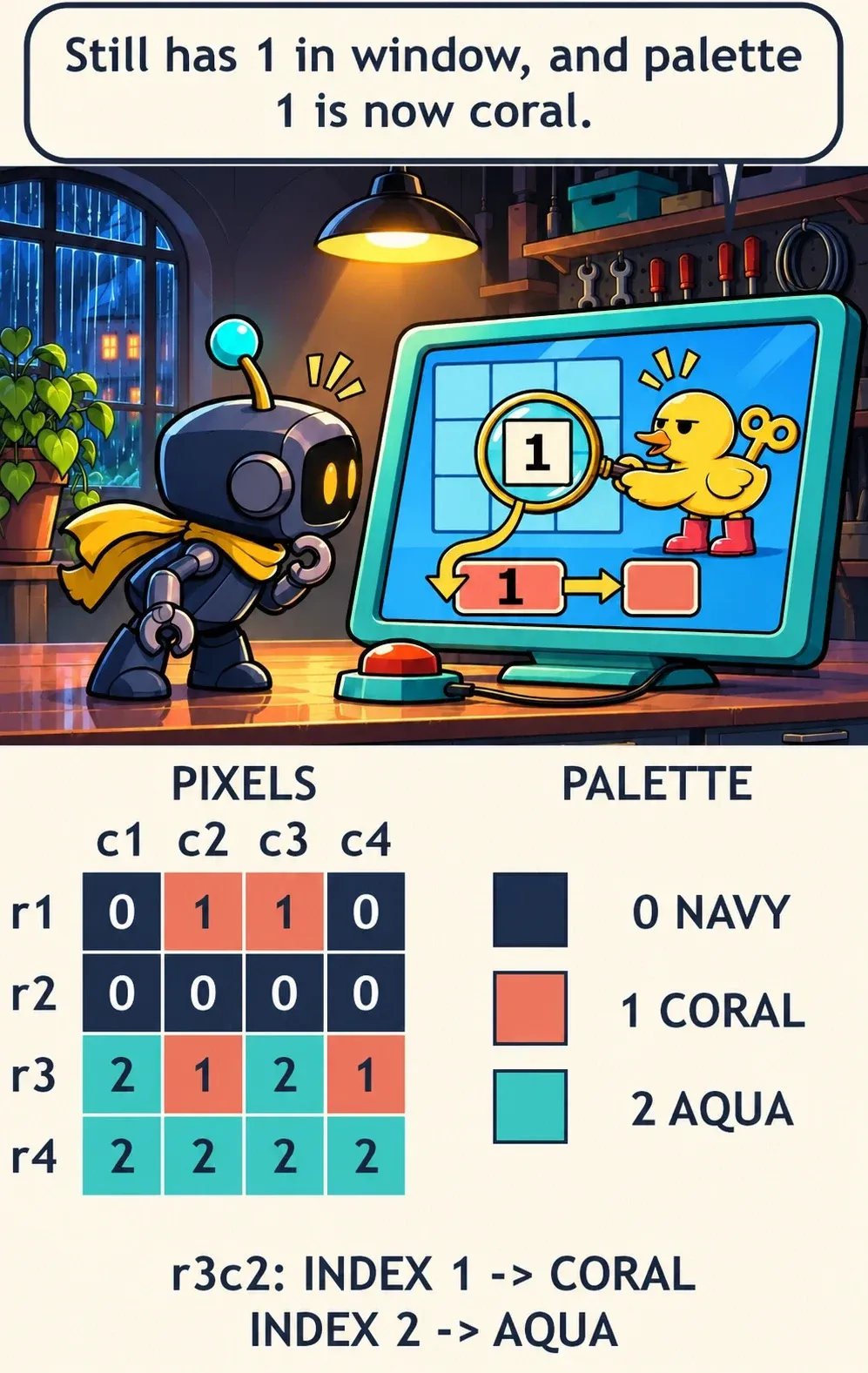
Duck looks at a single square using a magnifying glass. The diagram shows that the pixel in row 3, column 2 is mapped to palette index 1, now coral. The palette index 2 is still aqua.
Diagram values: r3c2: INDEX 1 -> CORAL; INDEX 2 -> AQUA
Duck: Still has 1 in window, and palette 1 is now coral.
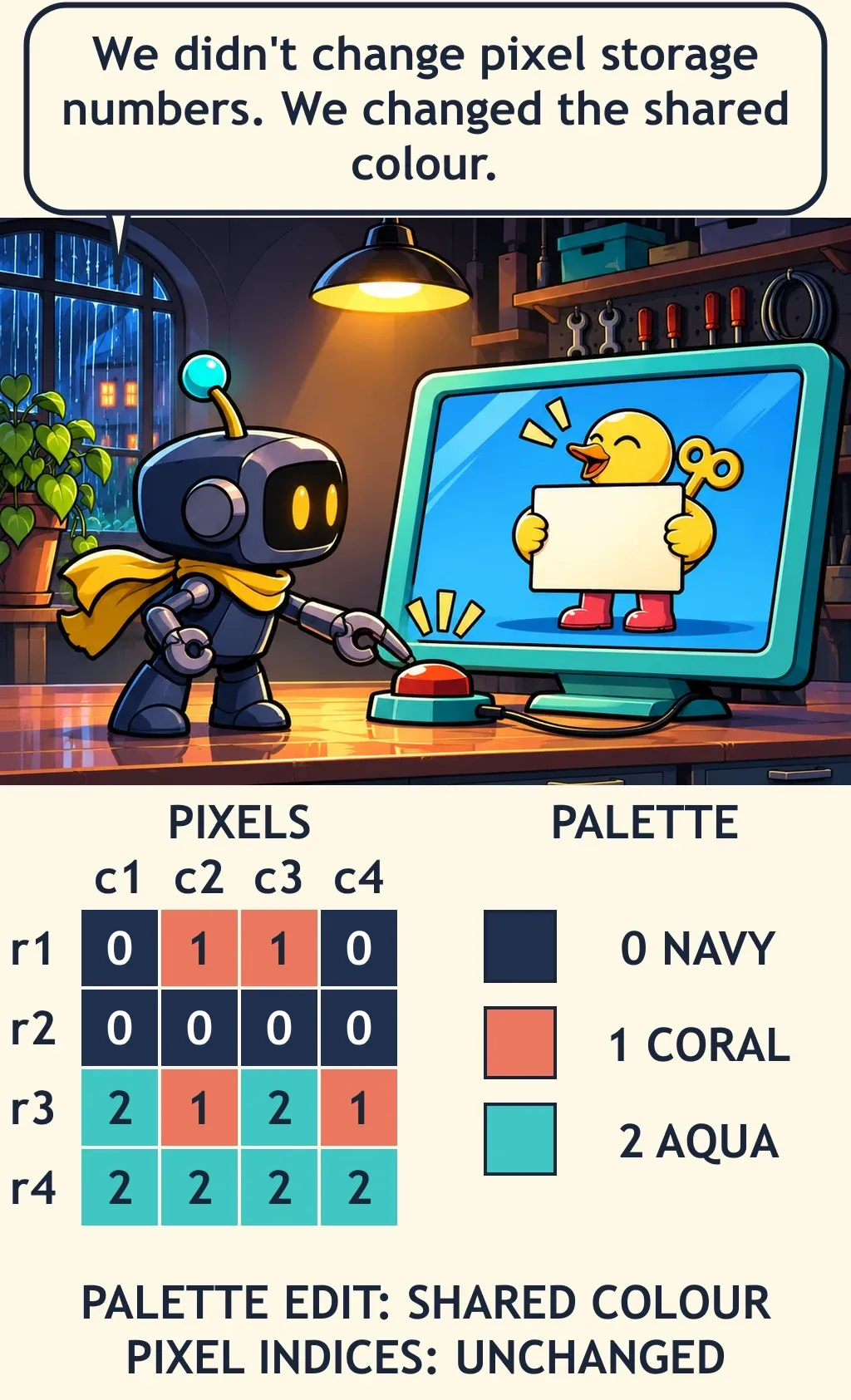
Robot is pointing at the control for the palette. Duck is holding the index sheet which hasn't changed. Diagram still shows the coral moon/windows and navy sky and aqua buildings.
Diagram values: PALETTE EDIT: SHARED COLOUR; PIXEL INDICES: UNCHANGED
Robot: We didn't change pixel storage numbers. We changed the shared colour.
One place at a time
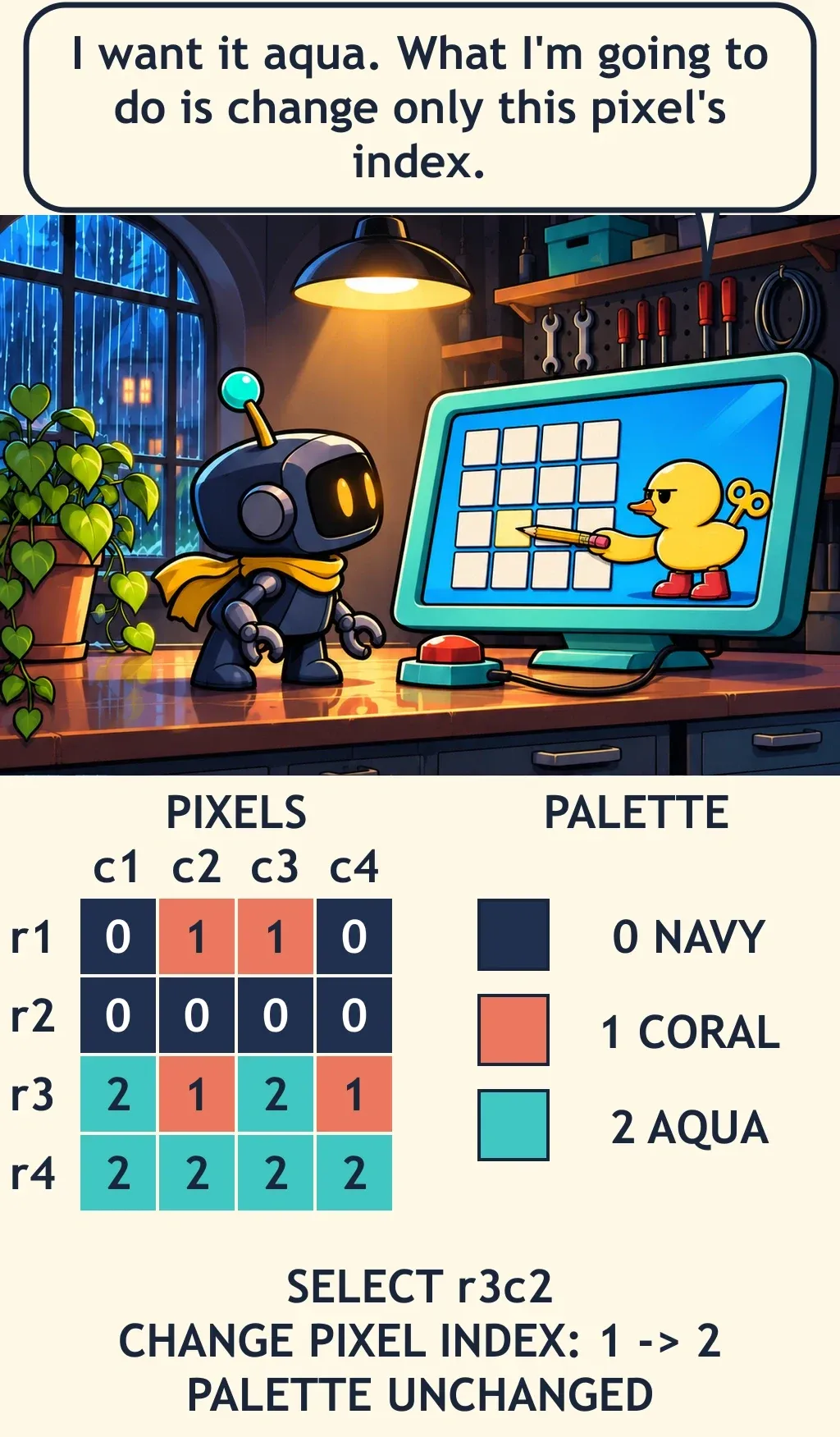
Duck picks one of the boxes using a pencil. The diagram shows row 3 column 2 as changing from index 1 to index 2. Palette stays the same.
Diagram values: SELECT r3c2; CHANGE PIXEL INDEX: 1 -> 2; PALETTE UNCHANGED
Duck: I want it aqua. What I'm going to do is change only this pixel's index.
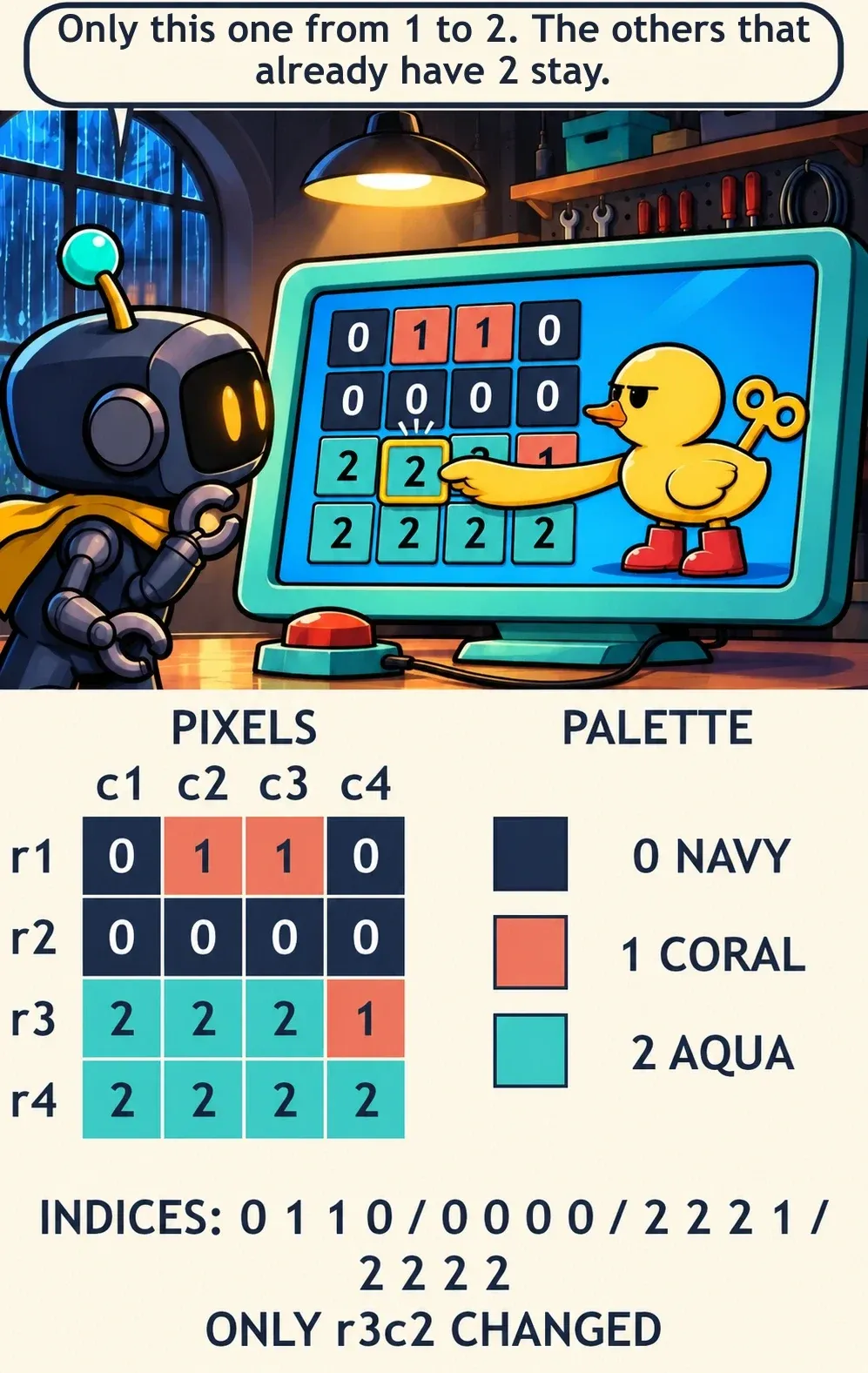
Duck is only changing one entry of the 4x4 index grid. It only affects the 3rd row, 2nd column. Where the index was originally 1, it is now 2. That's it. Only that one thing is different. The remaining 15 indices are the same. And all the entries in all the palettes are unchanged.
Diagram values: INDICES: 0 1 1 0 / 0 0 0 0 / 2 2 2 1 / 2 2 2 2; ONLY r3c2 CHANGED
Robot: Only this one from 1 to 2. The others that already have 2 stay.
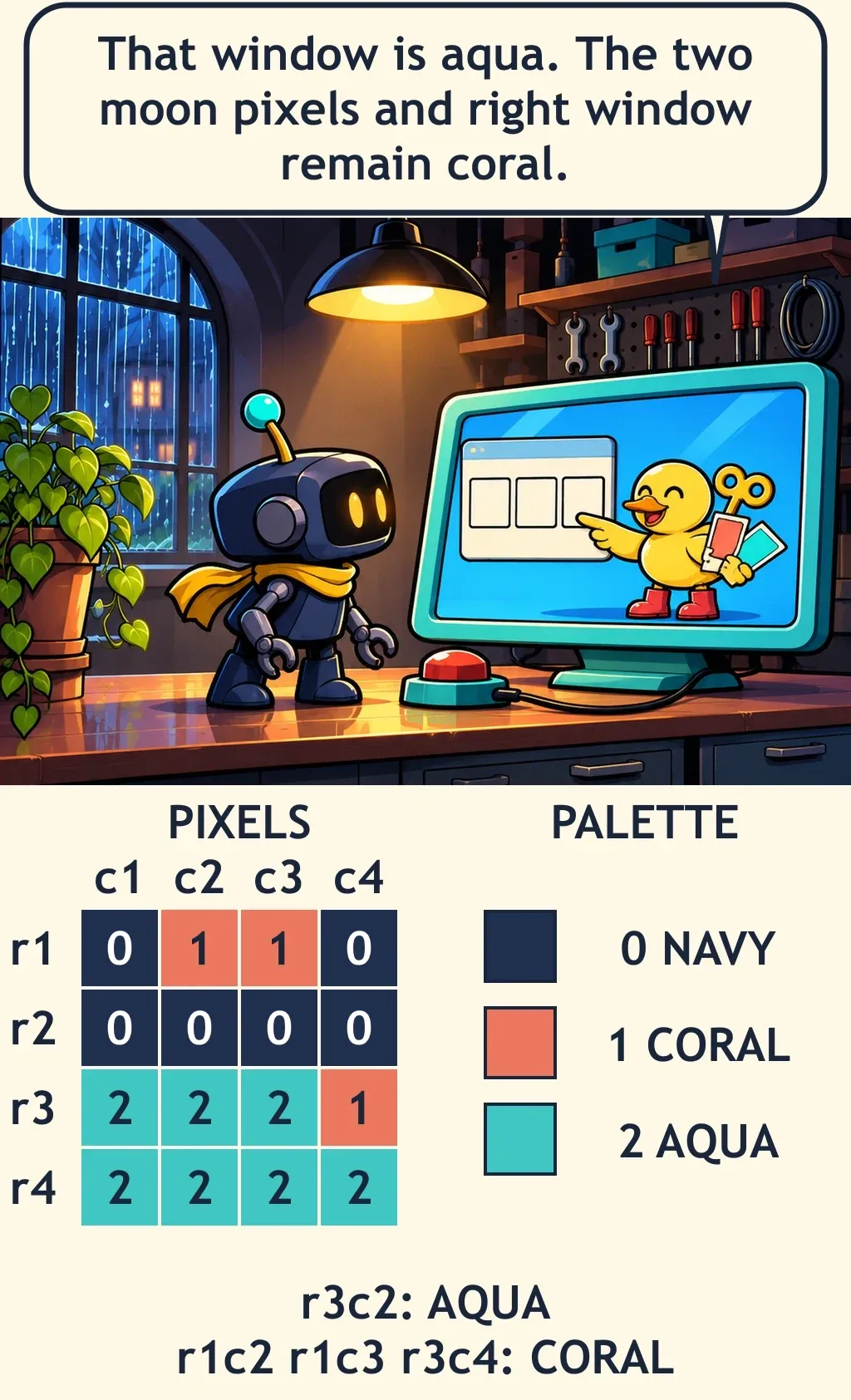
Duck is pleased about the local win. The left window in row 3, col 2 is aqua in the diagram. The two moon pixels and right window remain coral.
Diagram values: r3c2: AQUA; r1c2 r1c3 r3c4: CORAL
Duck: That window is aqua. The two moon pixels and right window remain coral.
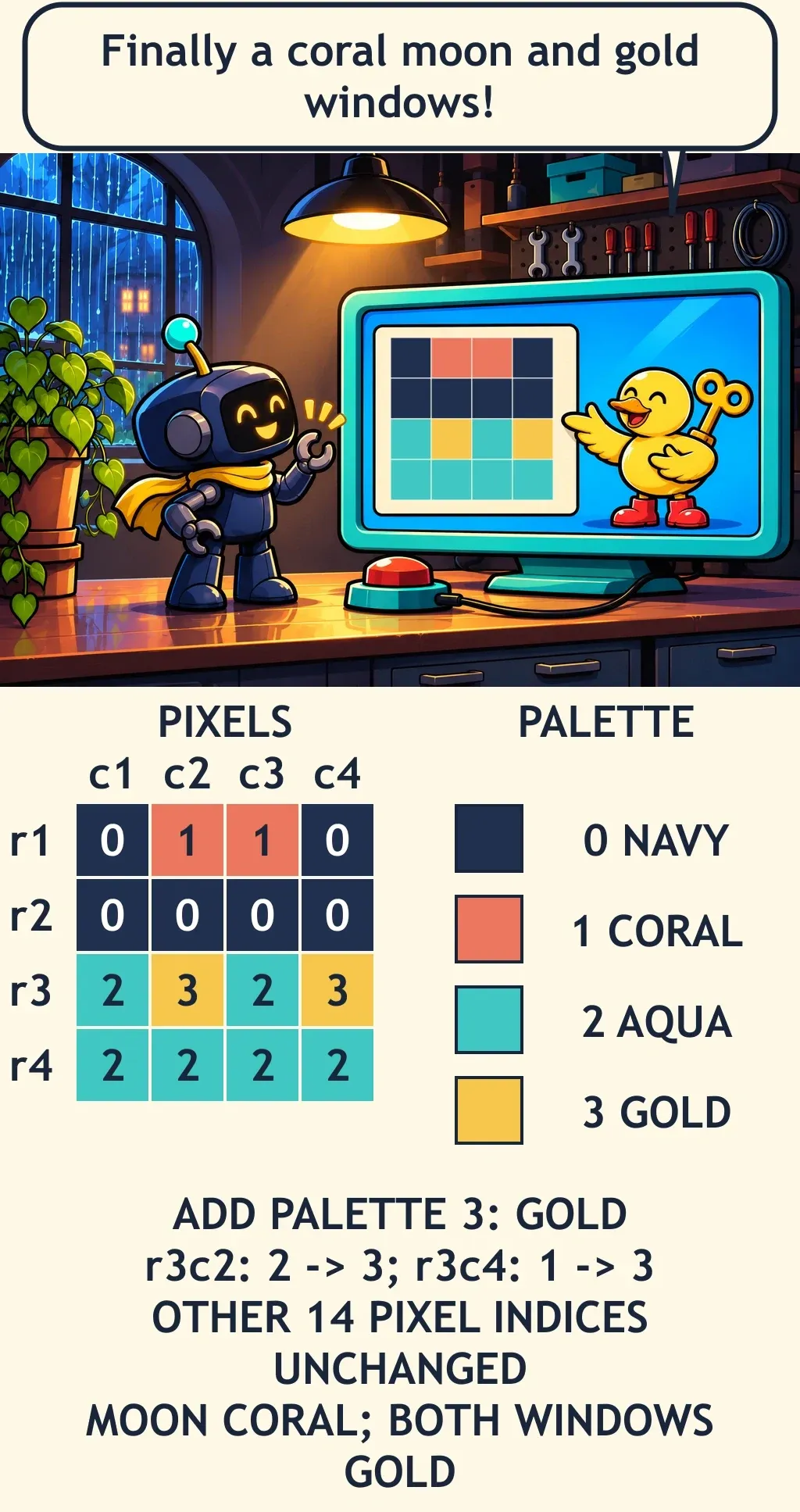
Duck is rejoicing near the finished city. Robot is inspecting the results. The imaginary colour chart has a space for a 4th entry. That is index 3. It's set to gold. 0 navy, 1 coral and 2 aqua remain the same. Duck updates left window row 3 col 2. It switches from 2 to 3. It's now gold. So is the right window. It was 1. Now it's 3. The 2 moon pixels remain coral. All the building pixels which use 2 now are aqua.
Diagram values: ADD PALETTE 3: GOLD; r3c2: 2 -> 3; r3c4: 1 -> 3; OTHER 14 PIXEL INDICES UNCHANGED; MOON CORAL; BOTH WINDOWS GOLD
Duck: Finally a coral moon and gold windows!
A fresh little picture
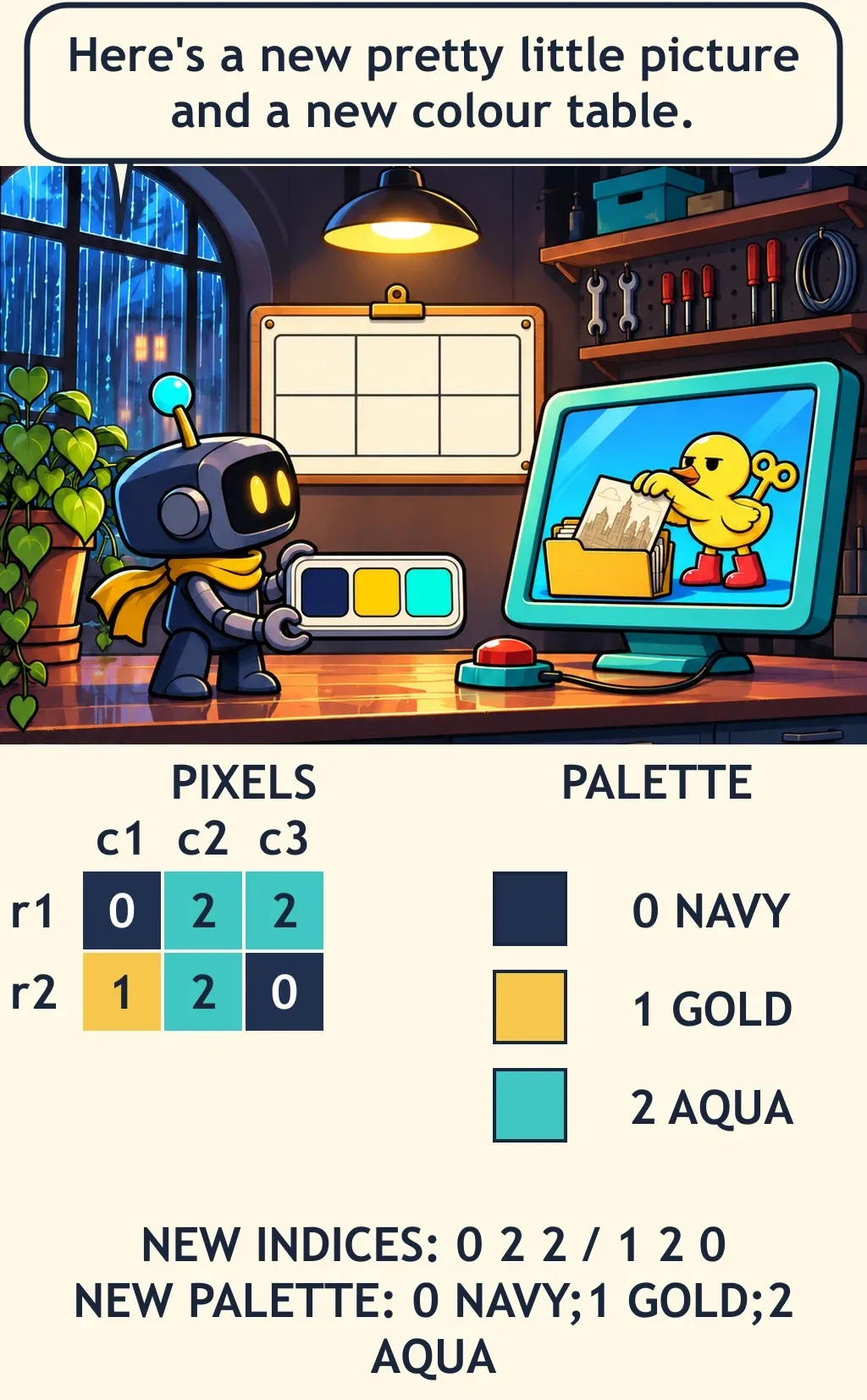
A new 3 column 2 row practice image is added. A new palette is added as well.
Diagram values: NEW INDICES: 0 2 2 / 1 2 0; NEW PALETTE: 0 NAVY;1 GOLD;2 AQUA
Robot: Here's a new pretty little picture and a new colour table.
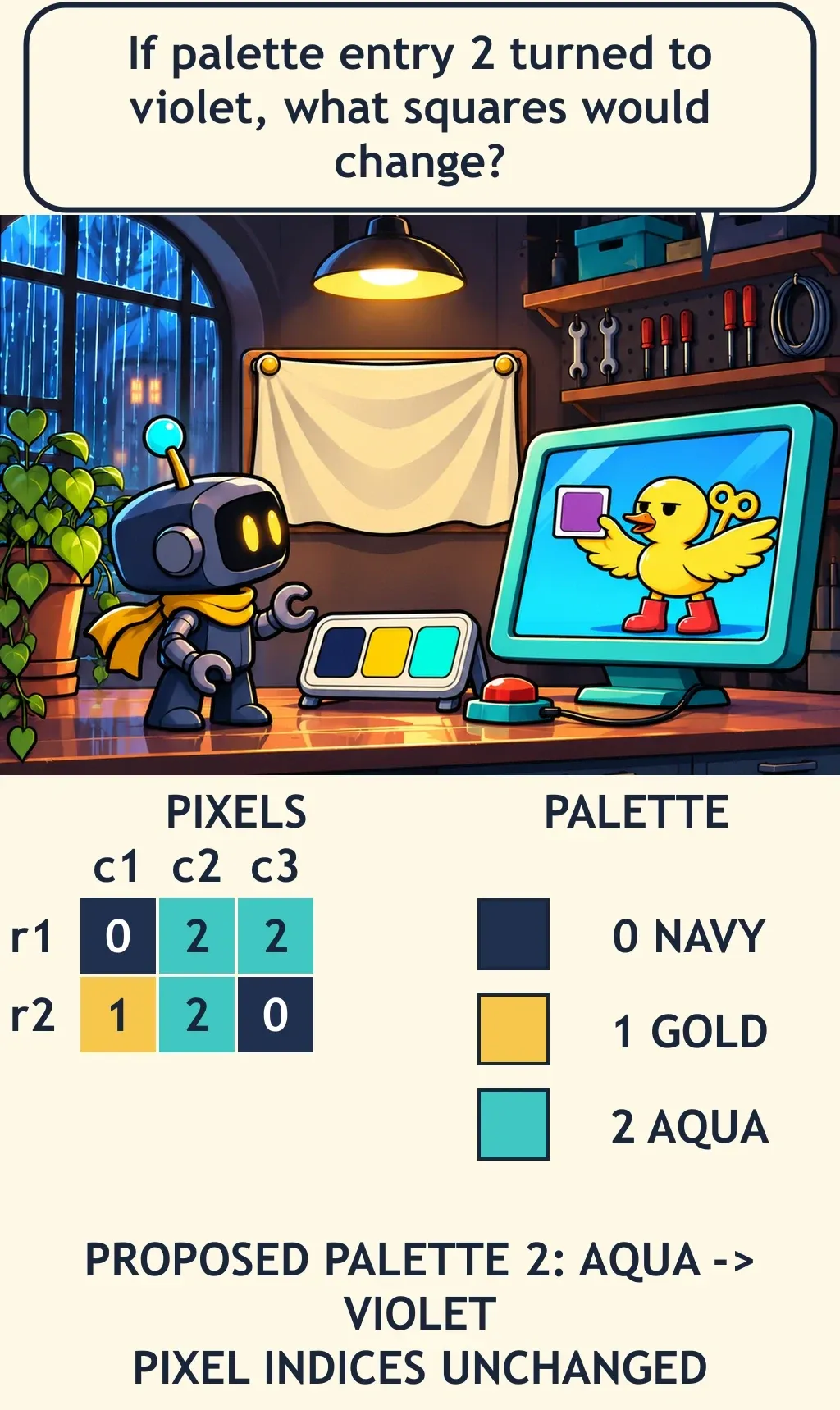
Duck is showing us a purple sample but not pointing to a square. The result board is still hidden. The diagram is the same 6-pixel map.
Diagram values: PROPOSED PALETTE 2: AQUA -> VIOLET; PIXEL INDICES UNCHANGED
Duck: If palette entry 2 turned to violet, what squares would change?
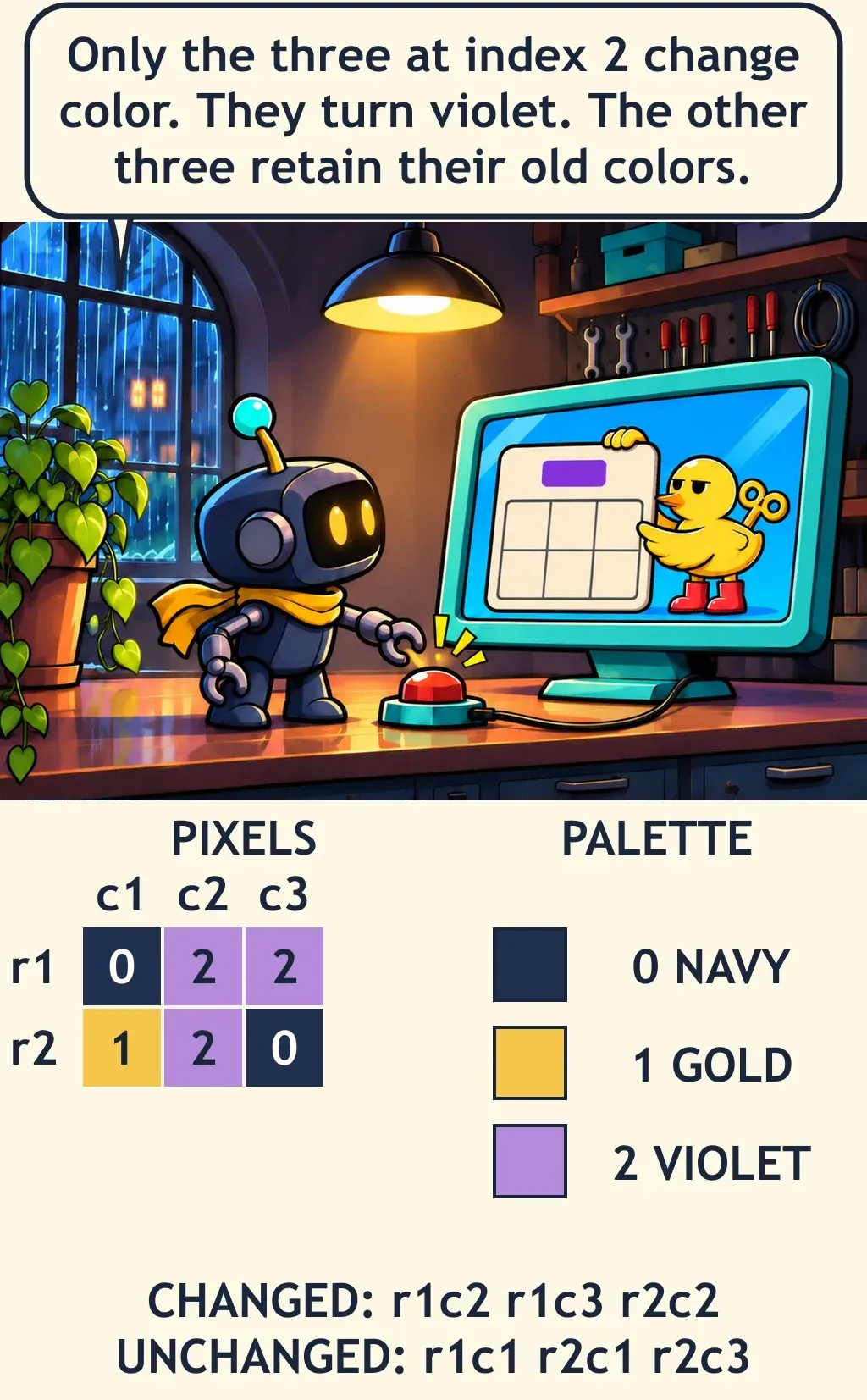
Duck shows result of practice, with 3 cells violet (row 1, column 2 and 3; row 2, column 2), 3 old color cells unchanged. And all 6 pixel indexes are unchanged.
Diagram values: CHANGED: r1c2 r1c3 r2c2; UNCHANGED: r1c1 r2c1 r2c3
Robot: Only the three at index 2 change color. They turn violet. The other three retain their old colors.
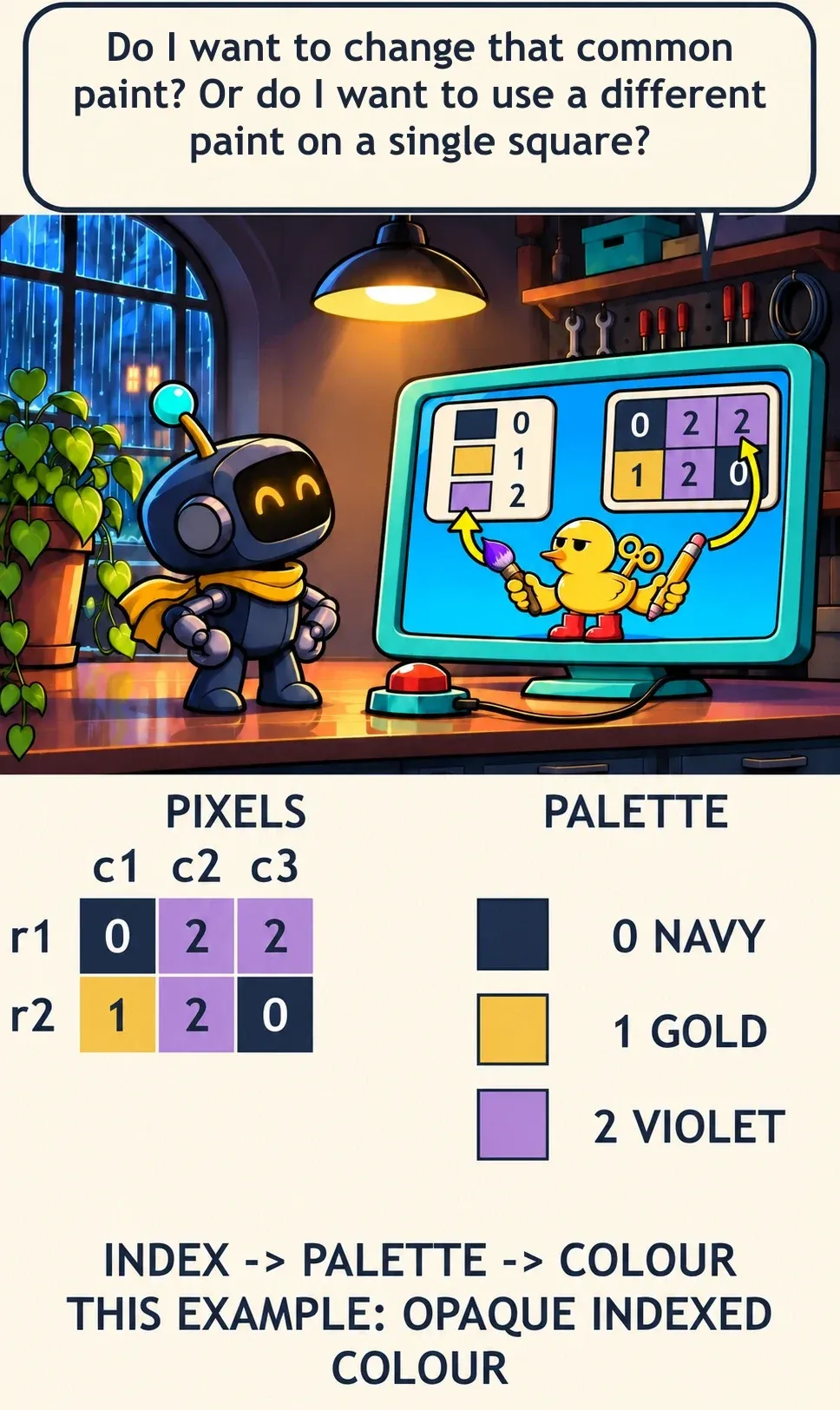
Duck is holding the palette brush and pixel pencil under different teaching boards. Robot is smiling.
Diagram values: INDEX -> PALETTE -> COLOUR; THIS EXAMPLE: OPAQUE INDEXED COLOUR
Duck: Do I want to change that common paint? Or do I want to use a different paint on a single square?
The lesson
In an indexed-colour picture each pixel holds an index to a colour table (called a palette). When we change palette entry one from gold to coral all pixels that we see with an index of one are now displayed with coral. We don't change the pixel's stored index though.
All four of our toy city's four-by-four pixels that are moons and windows begin with an index of one. When we change the palette, all four are now coral.
Next we change just the index in row three column two from one to two. So now that spot is aqua. All other indices and palette entries are unchanged.
The imaginary colour chart has a space for a 4th entry.
Let's add gold to index 3, without modifying 0, 1, and 2. Edit two pixel indexes: the one at row 3 column 2 from 2 to 3. The other at row 3 column 4 from 1 to 3. The pure addition of the free color index doesn't modify a pixel. Editing the two pixels will make both windows gold. The moon is still coral. The buildings are still aqua.
Note: all pixels in this example are still fully opaque. So this is not a tutorial on mixing RGB channels or on changing opacity or reducing file size. (There's a description of indexed-colour in the PNG spec.) Our editing controls are imaginary teacher toys.
Try it
Here's a new map (3 rows, 2 columns) [2,1] / [0,2] / [1,0].
Use zero for navy blue, one for gold, and two for aqua.
Make palette entry 1 switch from gold to coral.
Now, set only one pixel to index 1 instead of index 0. It's on the 2nd row, 1st column.
Which cells are affected by each operation? What's the index map at the end?
Answer
Palette edit affects first row/second column and third row/first column. They're now coral instead of gold. Index is still one.
Pixel edit affects second row/first column. It's now coral instead of navy. The pixel now has index one.
Final map of indexes: [2, 1] / [1, 2] / [1, 0]
Other pixels have their index and color intact.
Sources
W3C PNG specification: palette and indexed-colour pixels (opens in a new tab)