 HoldMyTwist
Episode 24
The Half-painted Sign
Duck changes the sign as everyone's reading it. Can he replace the entire message?
Episode transcript
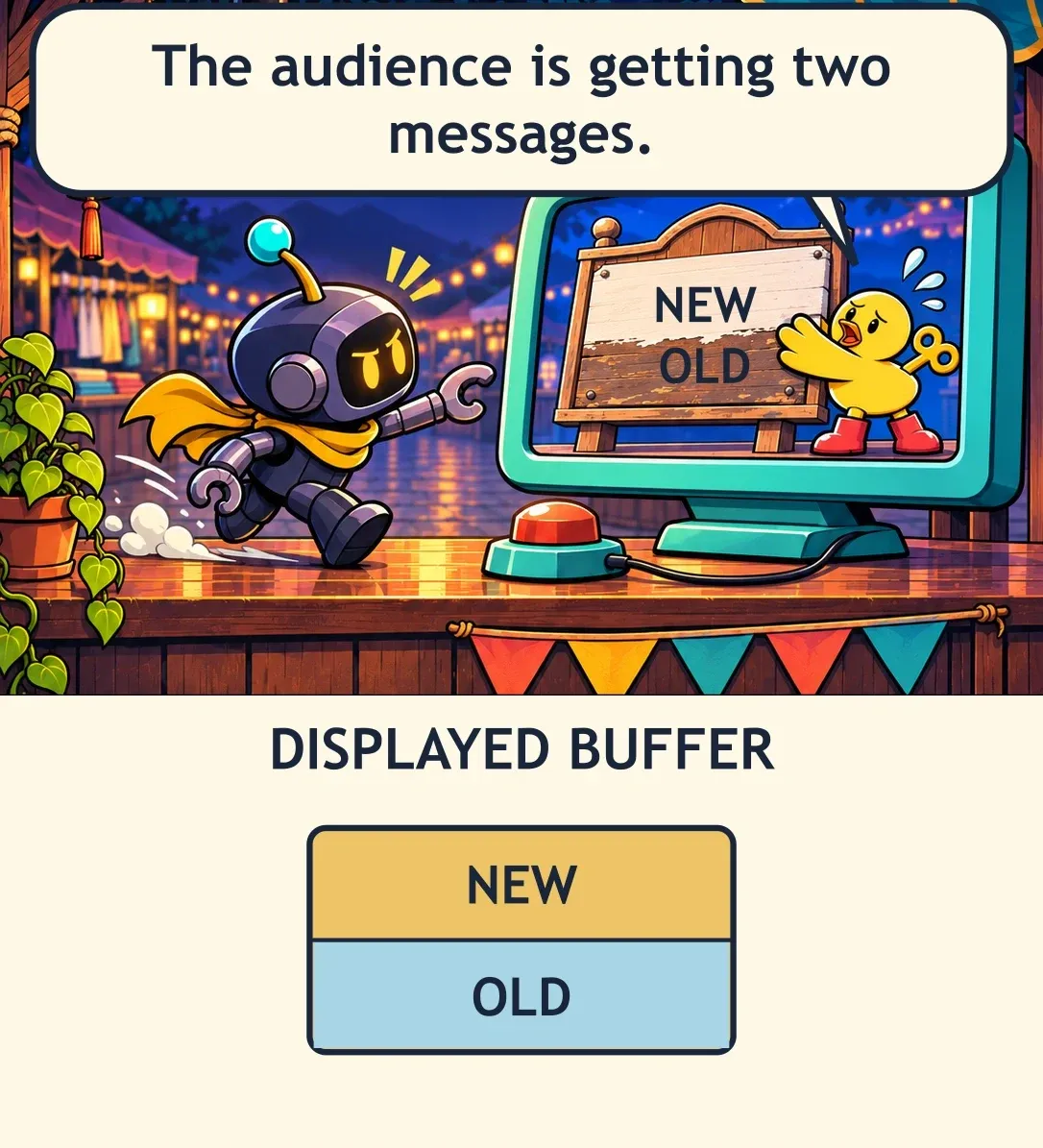
A sign changes in public
The sign has "NEW" at the top half and "OLD" at the bottom half, inside the monitor. Duck covers the mixed sign. Robot is outside the monitor, pointing to the mixed sign.
Diagram values: NEW TOP; OLD BOTTOM
Duck: The audience is getting two messages.
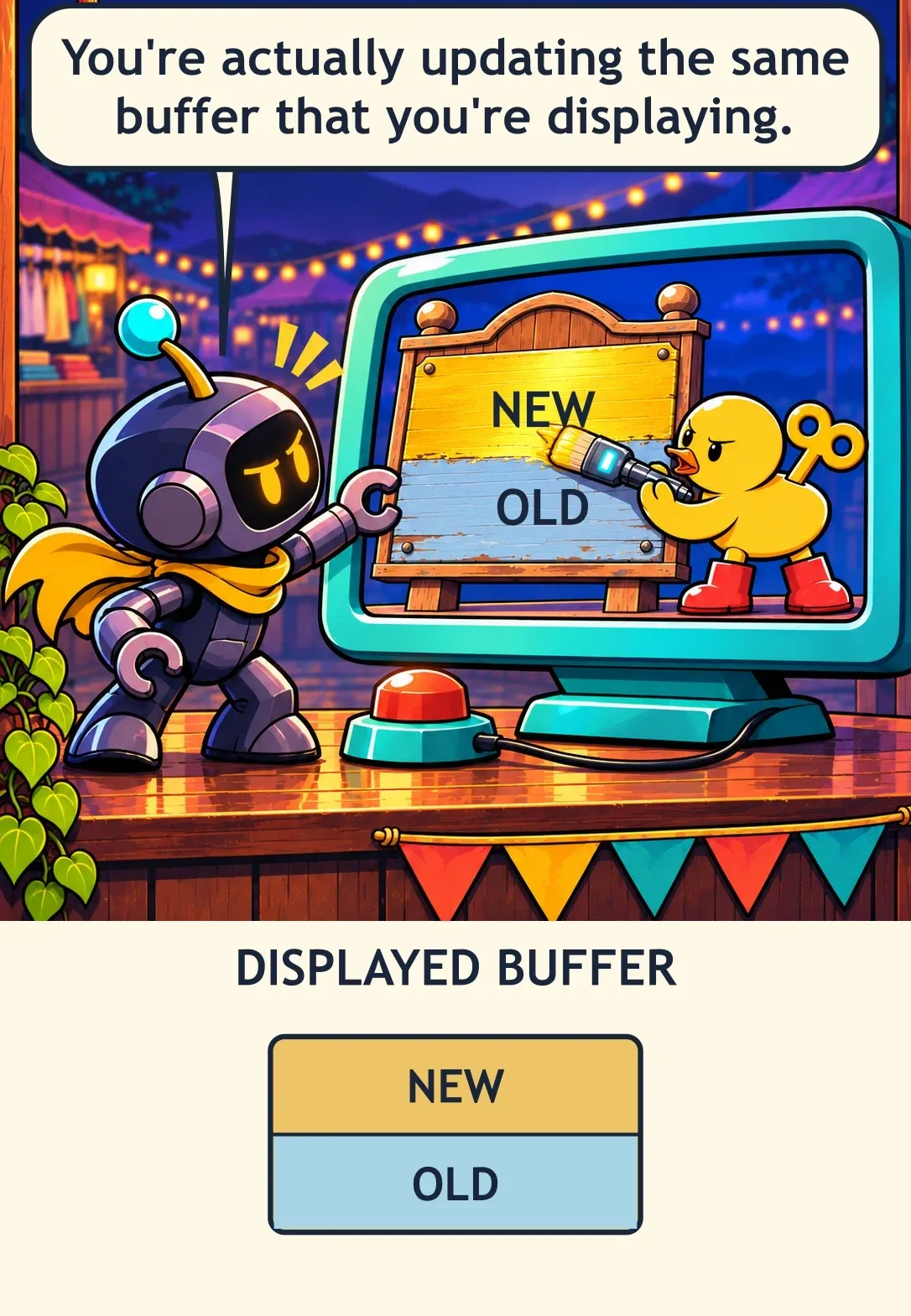
Robot is tagging the visible single buffer
Diagram values: DISPLAYED BUFFER
Robot: You're actually updating the same buffer that you're displaying.
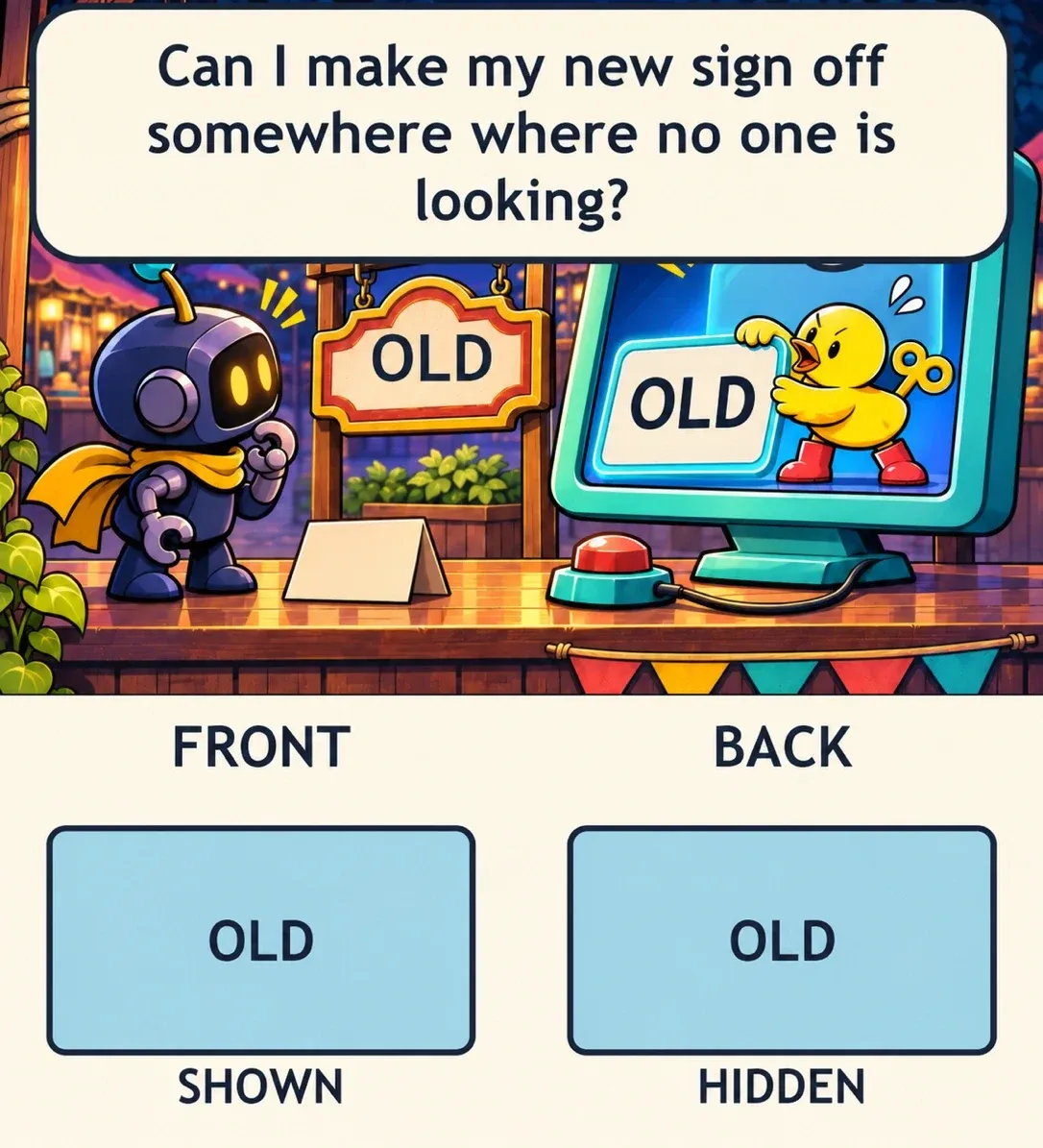
Duck has the back up sign hidden in the monitor. It reads OLD, just like the one the audience sees.
Diagram values: FRONT:OLD; BACK:OLD
Duck: Can I make my new sign off somewhere where no one is looking?
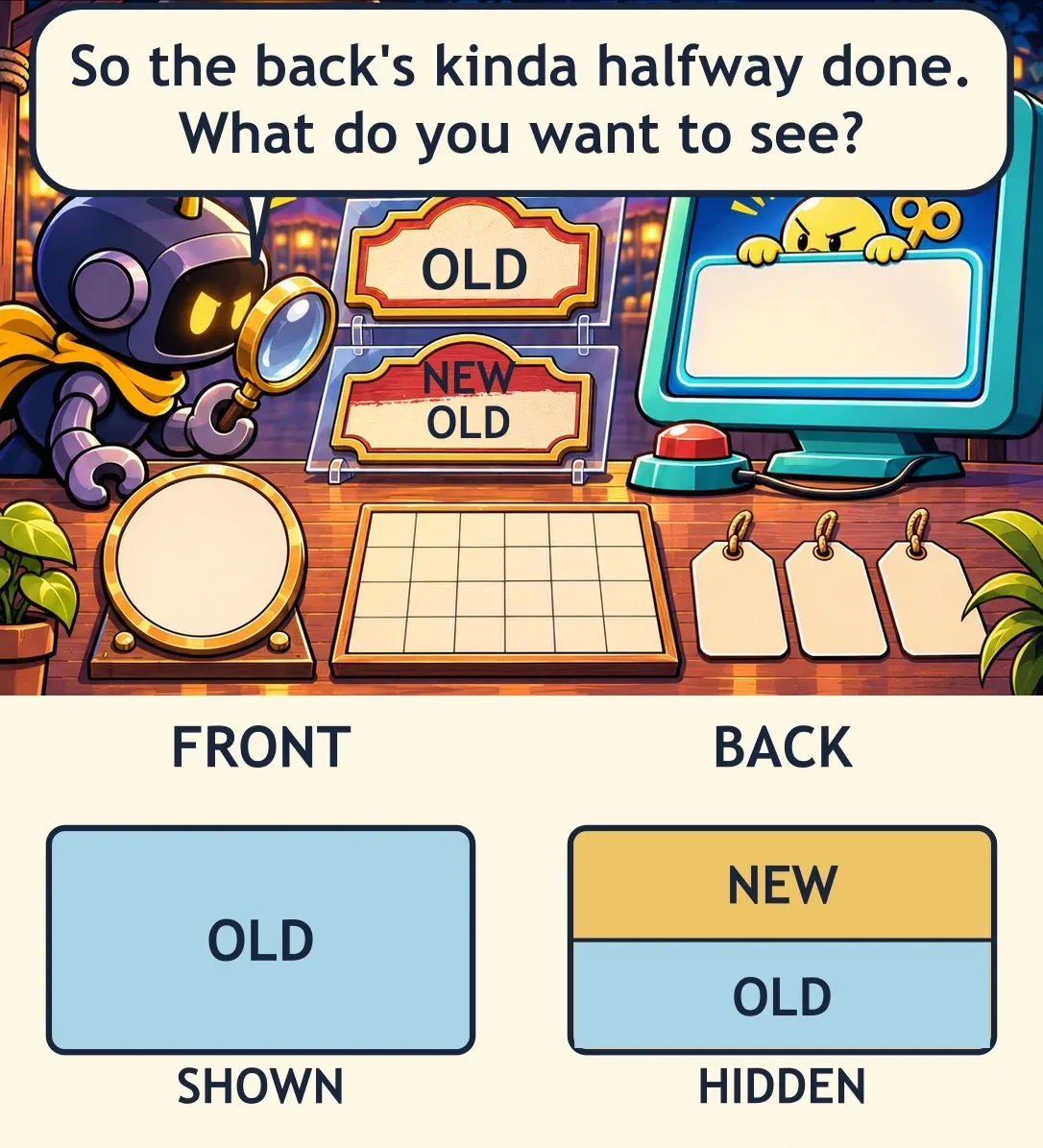
Robot shows us 2 separate buffers. The front buffer shows the whole old sign. The back buffer shows the new sign in the top half, old sign in the bottom half. Duck is hiding the answer.
Diagram values: FRONT OLD; BACK HALF DONE
Robot: So the back's kinda halfway done. What do you want to see?
Hide the unfinished work
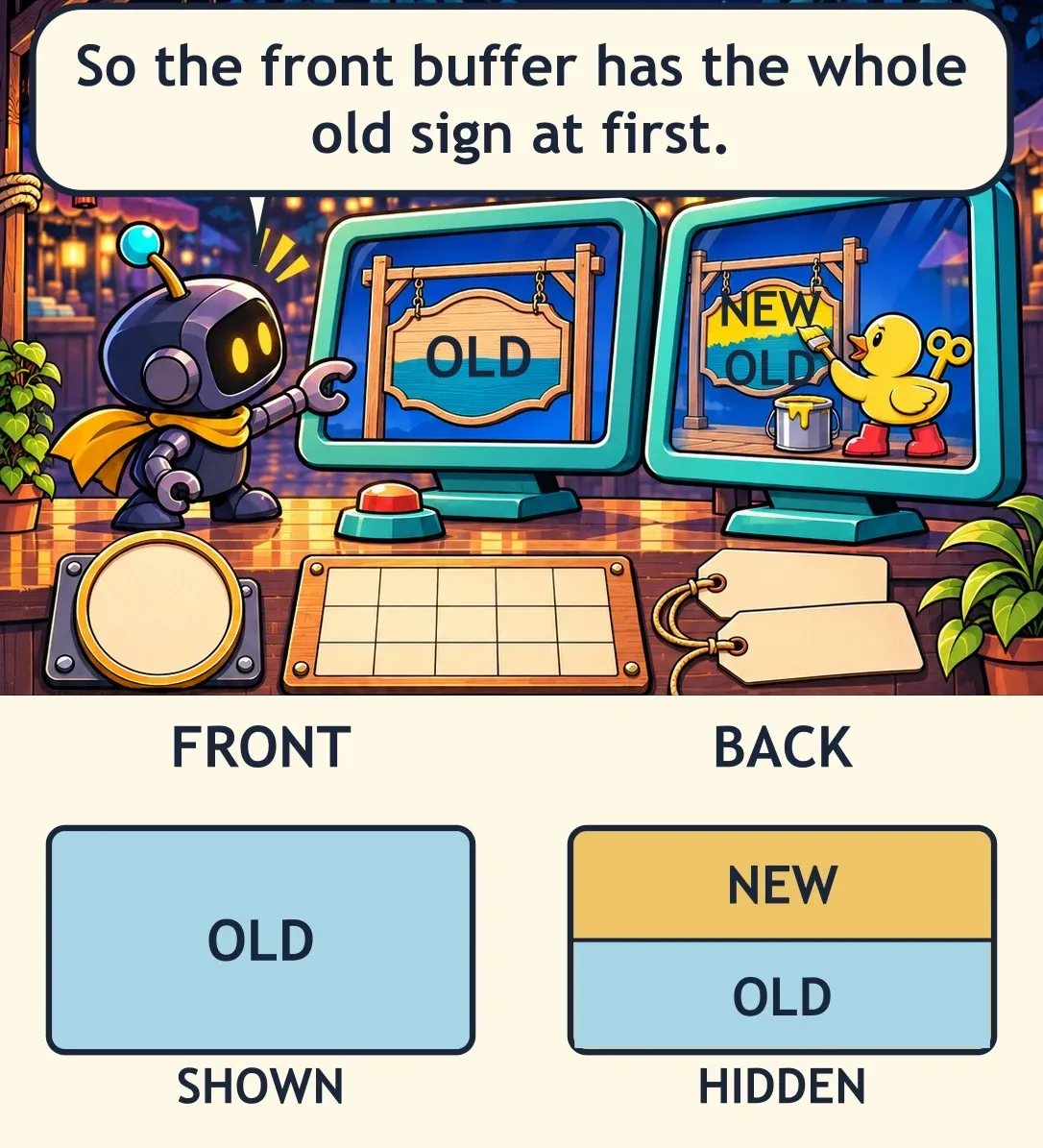
Robot is pointing at the forward buffer that is still showing. Duck is working on the distinct back buffer inside the monitor.
Diagram values: DISPLAY:OLD
Robot: So the front buffer has the whole old sign at first.
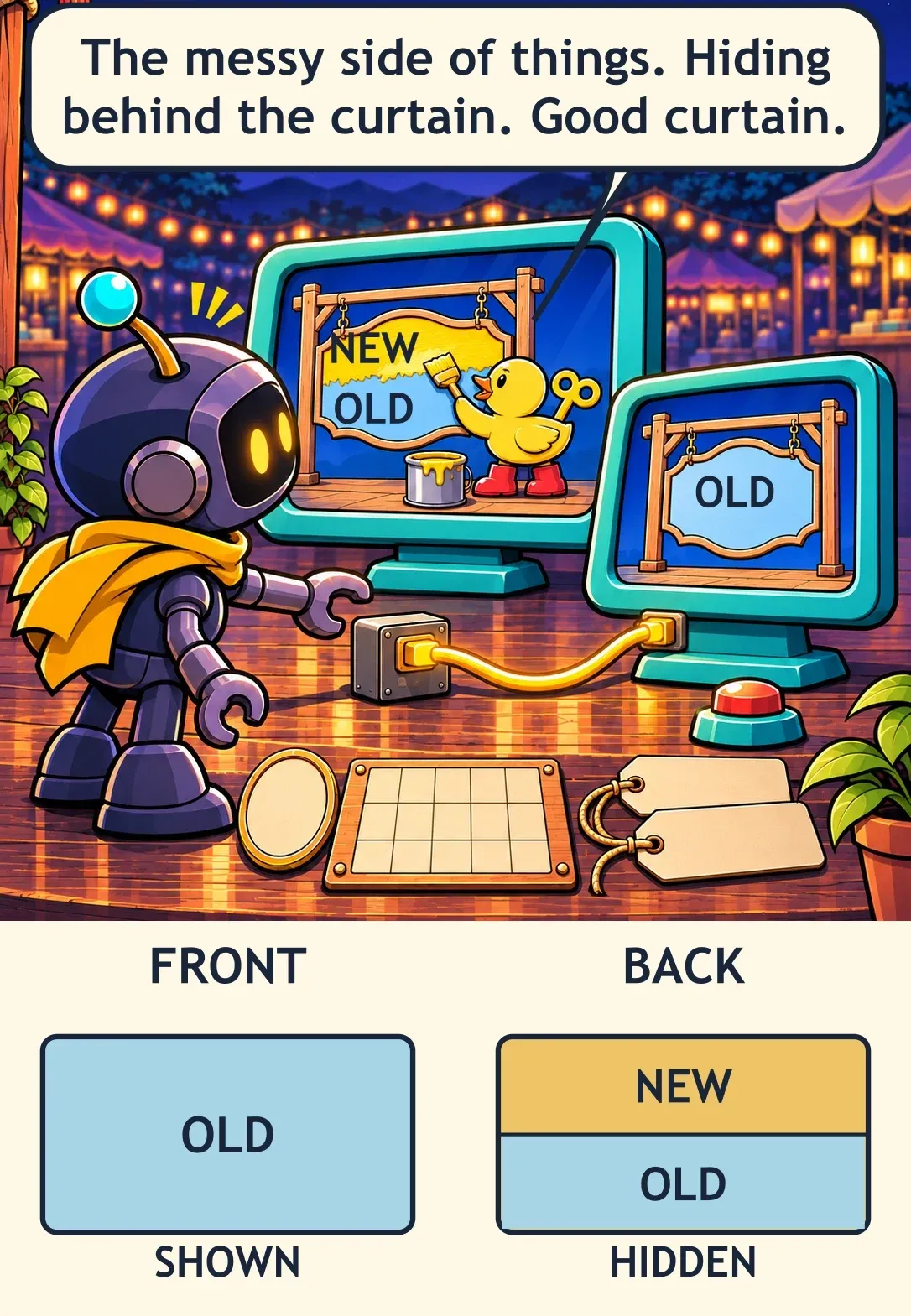
Duck draws half (upper half) of the hidden back buffer. Front buffer still holds full old sign. Robot tests display connection to front buffer.
Diagram values: FRONT OLD; BACK NEW-TOP/OLD-BOTTOM
Duck: The messy side of things. Hiding behind the curtain. Good curtain.
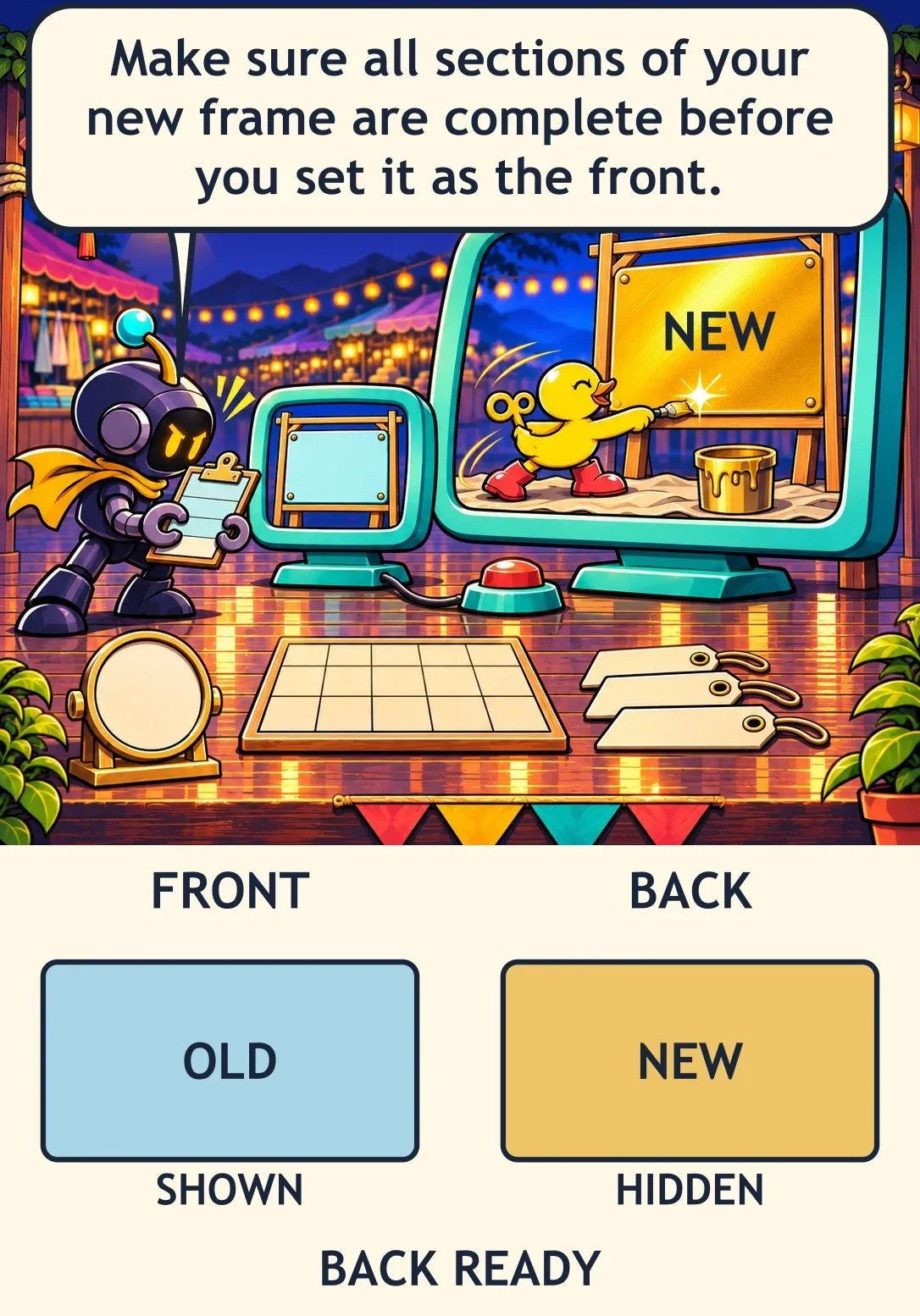
The entire new sign is now in the back buffer. Robot looks for the done flag.
Diagram values: BACK COMPLETE:NEW
Robot: Make sure all sections of your new frame are complete before you set it as the front.
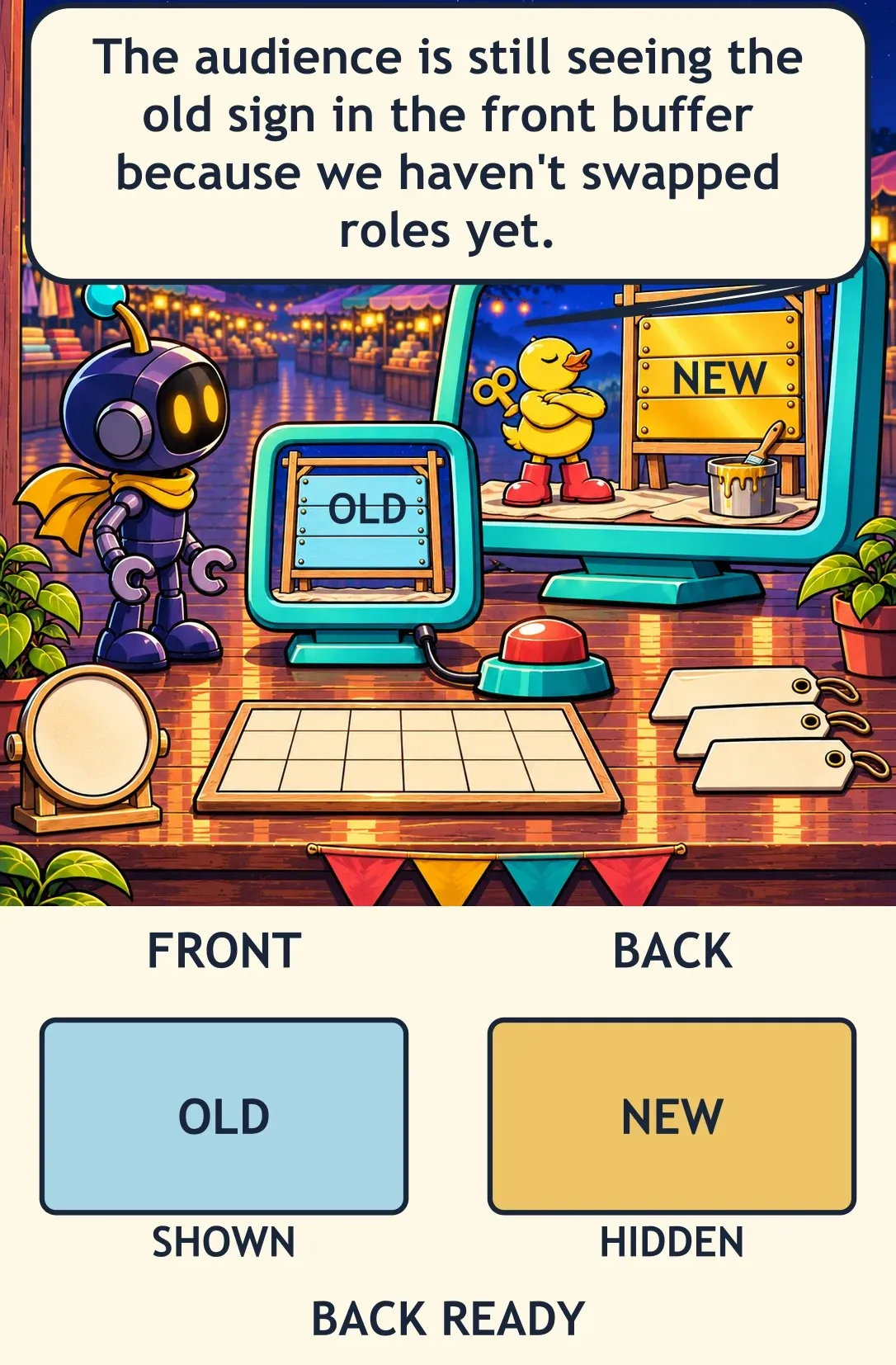
The audience is still seeing the old sign in the front buffer because we haven't swapped roles yet.
Diagram values: DISPLAY OLD; BACK READY NEW
Duck: The audience is still seeing the old sign in the front buffer because we haven't swapped roles yet.
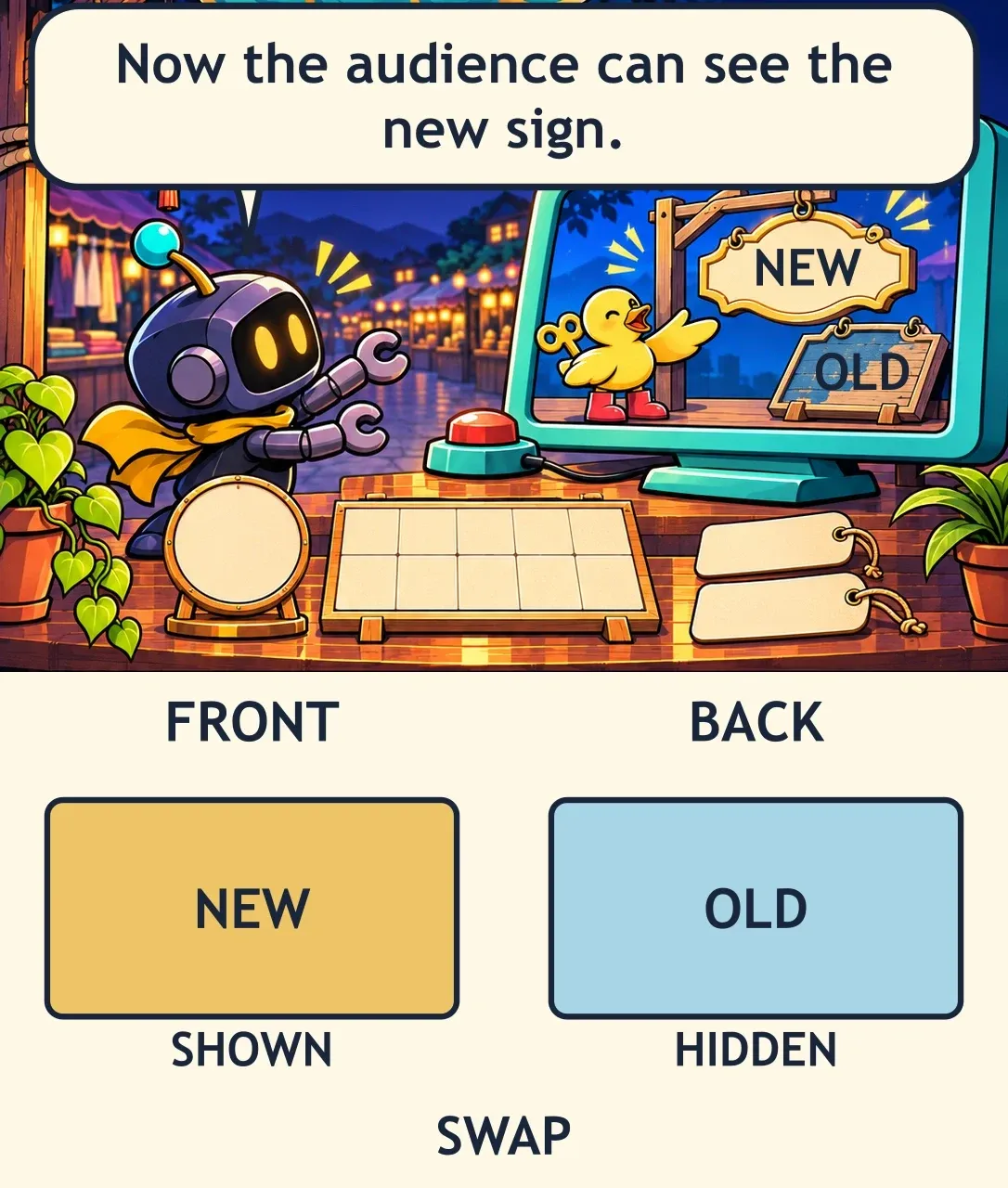
Robot switches the screen to new full sign. The old back buffer is now the front buffer. The old front buffer is now the spare back buffer.
Diagram values: DISPLAY NEW; SPARE OLD
Robot: Now the audience can see the new sign.
Swap when ready
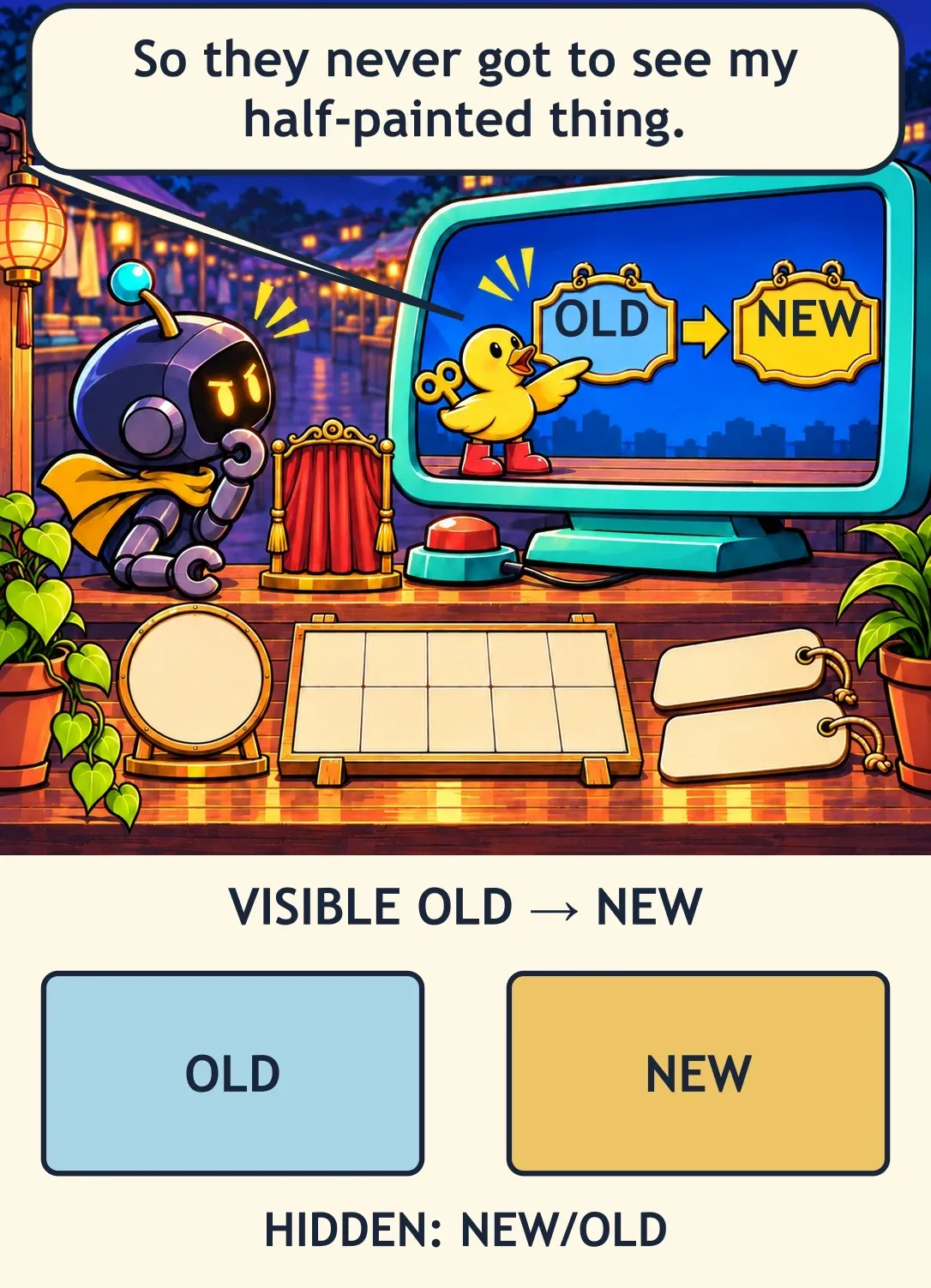
Robot is keeping the unfinished one that is hidden separate from the two that were shown to the audience in order.
Diagram values: VISIBLE OLD → NEW
Duck: So they never got to see my half-painted thing.
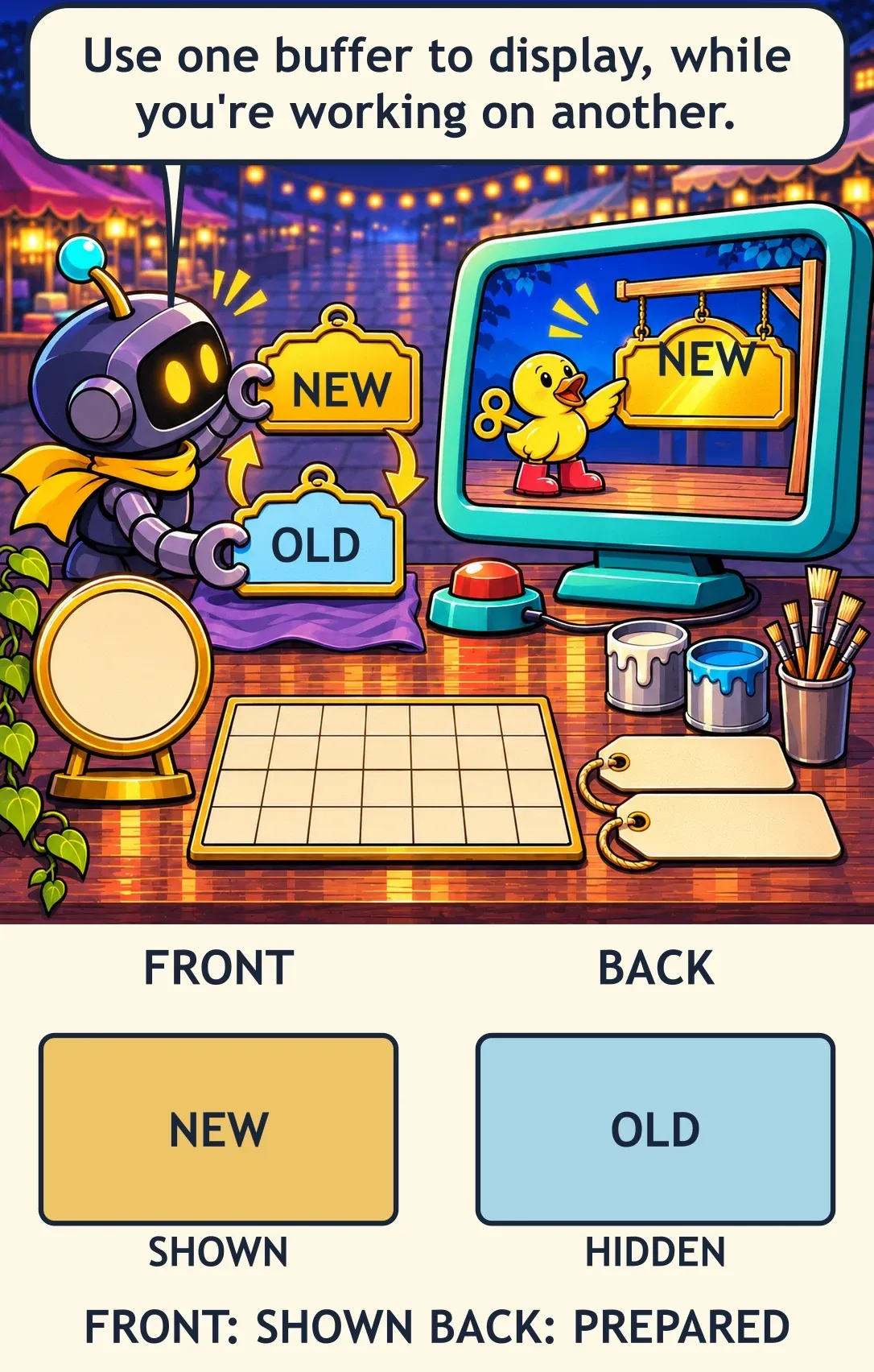
Robot points at front and back labels, as buffers switch roles. Duck points at finished frame which is now showing.
Diagram values: FRONT:SHOWN; BACK:PREPARED
Robot: Use one buffer to display, while you're working on another.
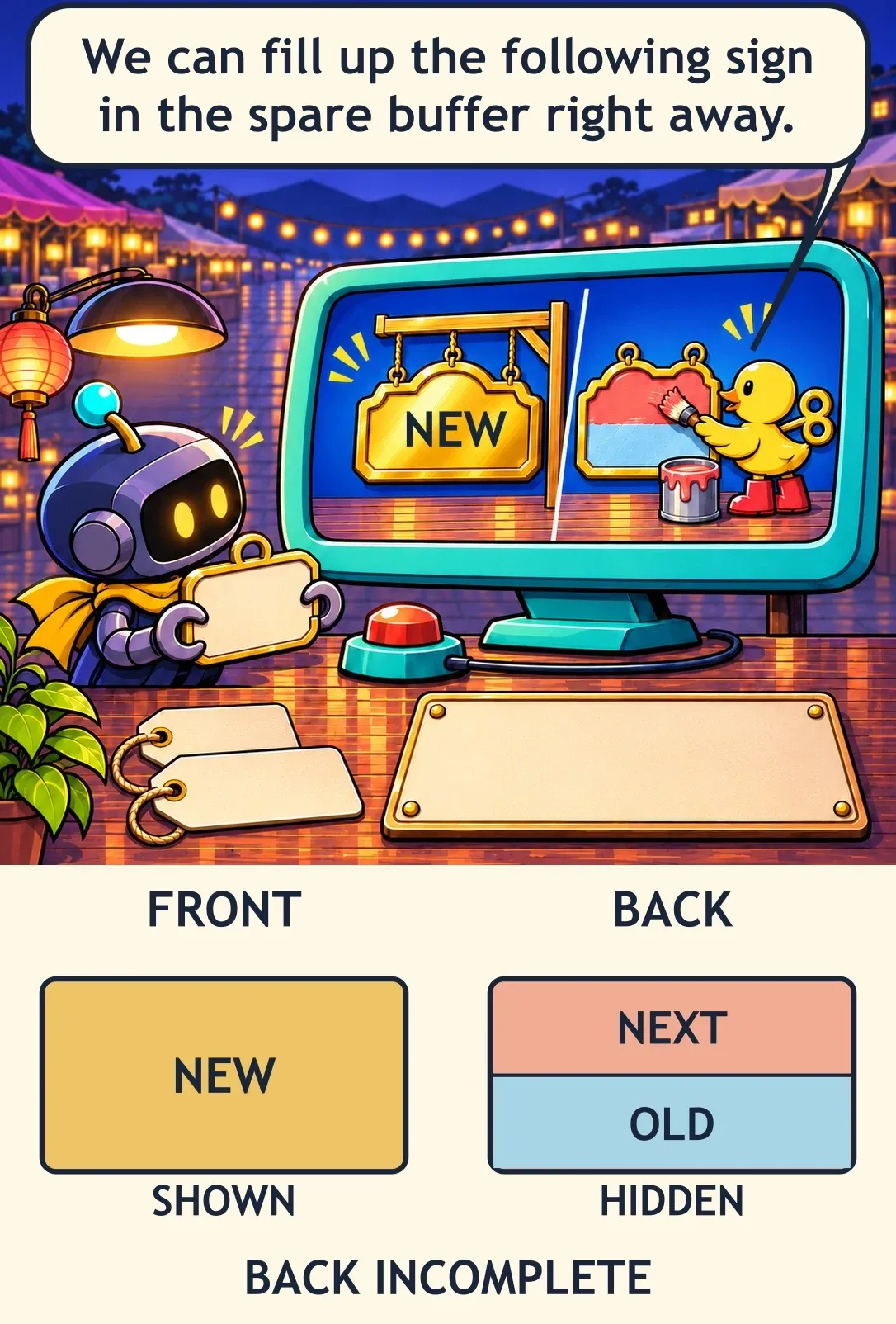
Duck starts a new sign production process in the spare back buffer. The full new sign is still in the front buffer. Robot verifies that the current display frame hasn't changed.
Diagram values: DISPLAY NEW; BACK NEXT-HALF-DONE
Duck: We can fill up the following sign in the spare buffer right away.
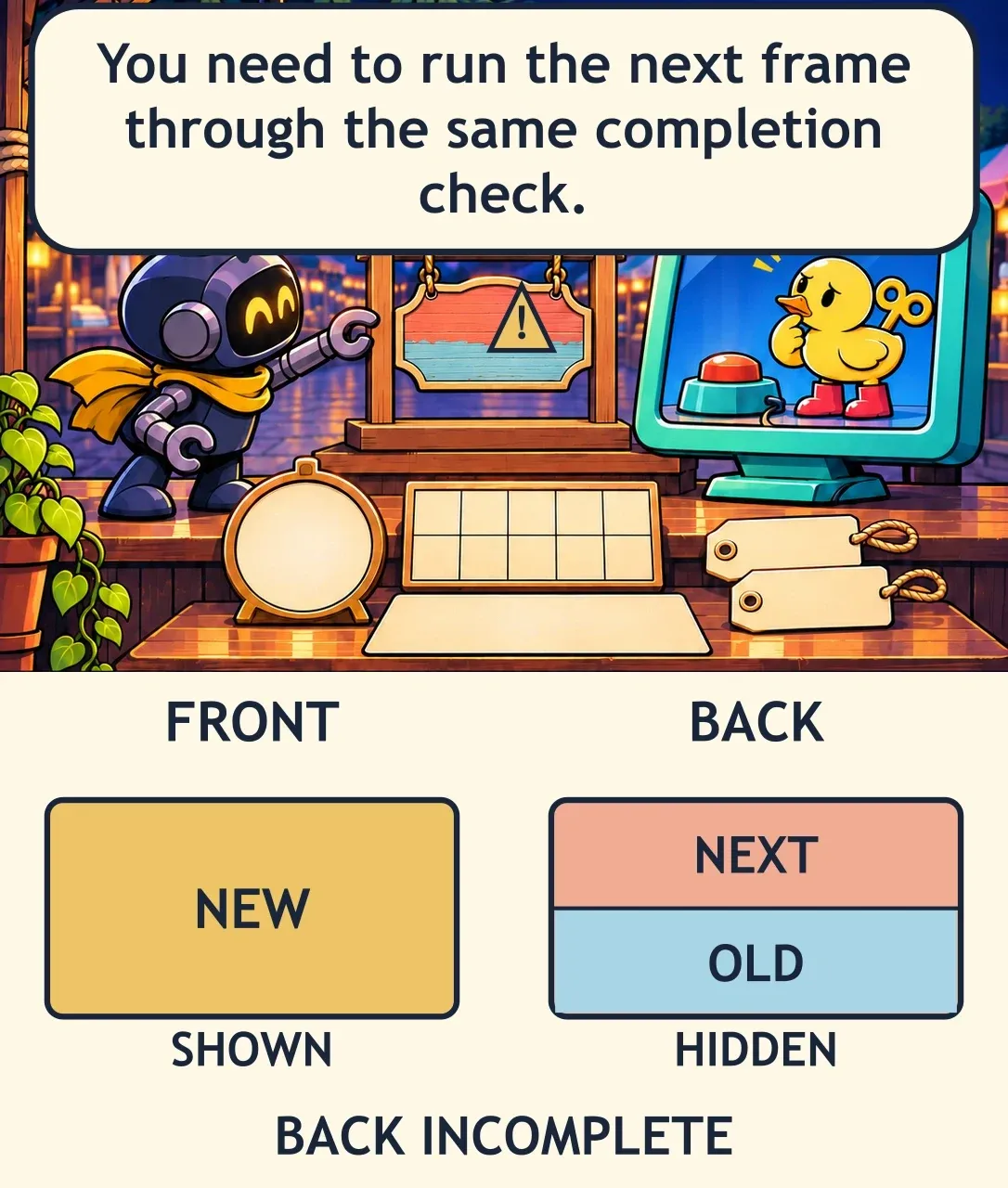
Robot points at unfinished marker tied to back buffer. Duck hesitates to press swap control. The marker is on the diagram.
Robot: You need to run the next frame through the same completion check.
The next unfinished frame
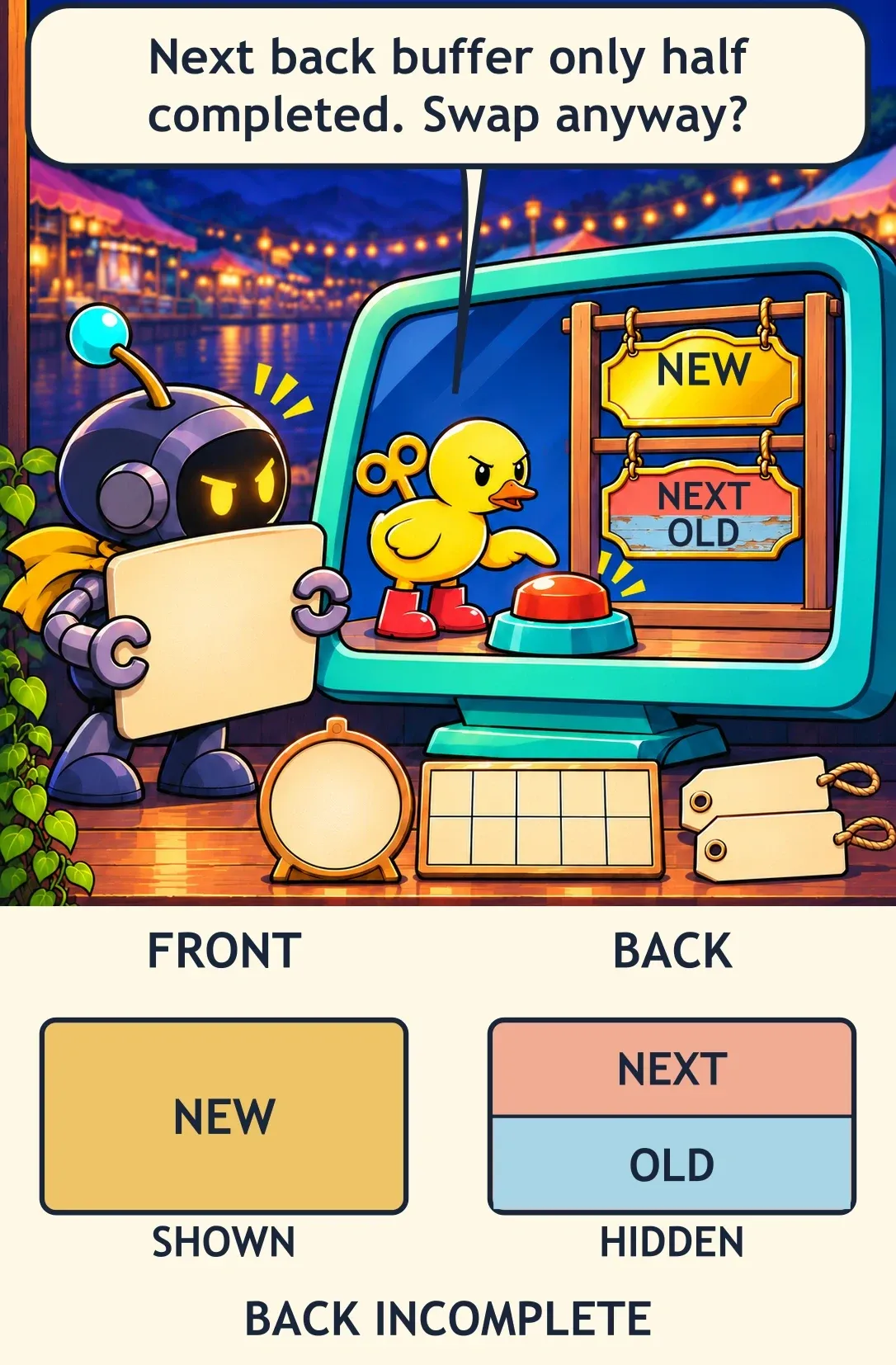
Duck has wing held near the swap button. Next back buffer is half done. All of the front buffer is still showing. Robot hides decision card.
Diagram values: BACK INCOMPLETE
Duck: Next back buffer only half completed. Swap anyway?
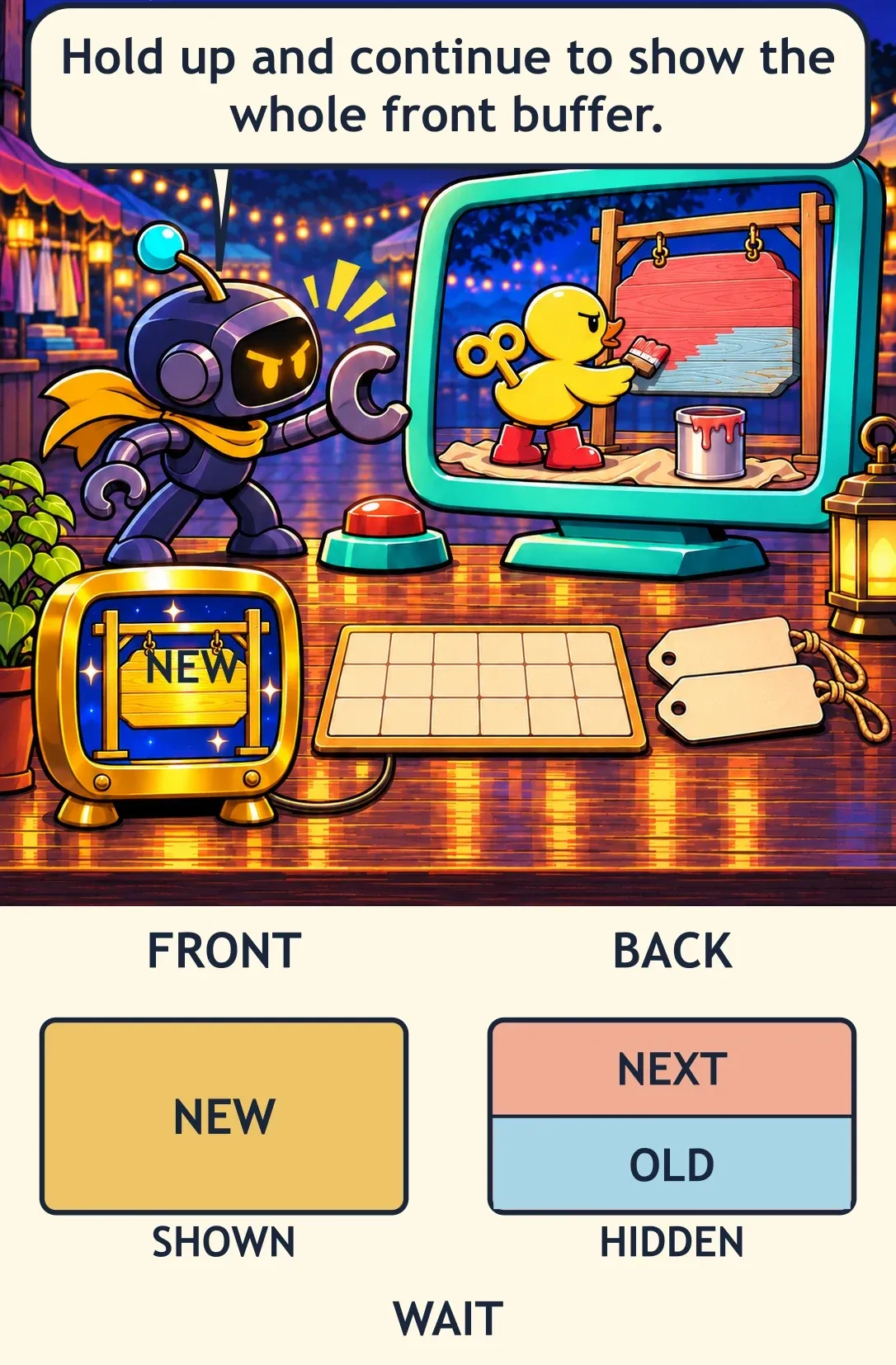
Robot halts swap. Duck (partially) continues to work on the incomplete back buffer. Public display continues to display the entire front buffer.
Diagram values: WAIT; DISPLAY NEW
Robot: Hold up and continue to show the whole front buffer.
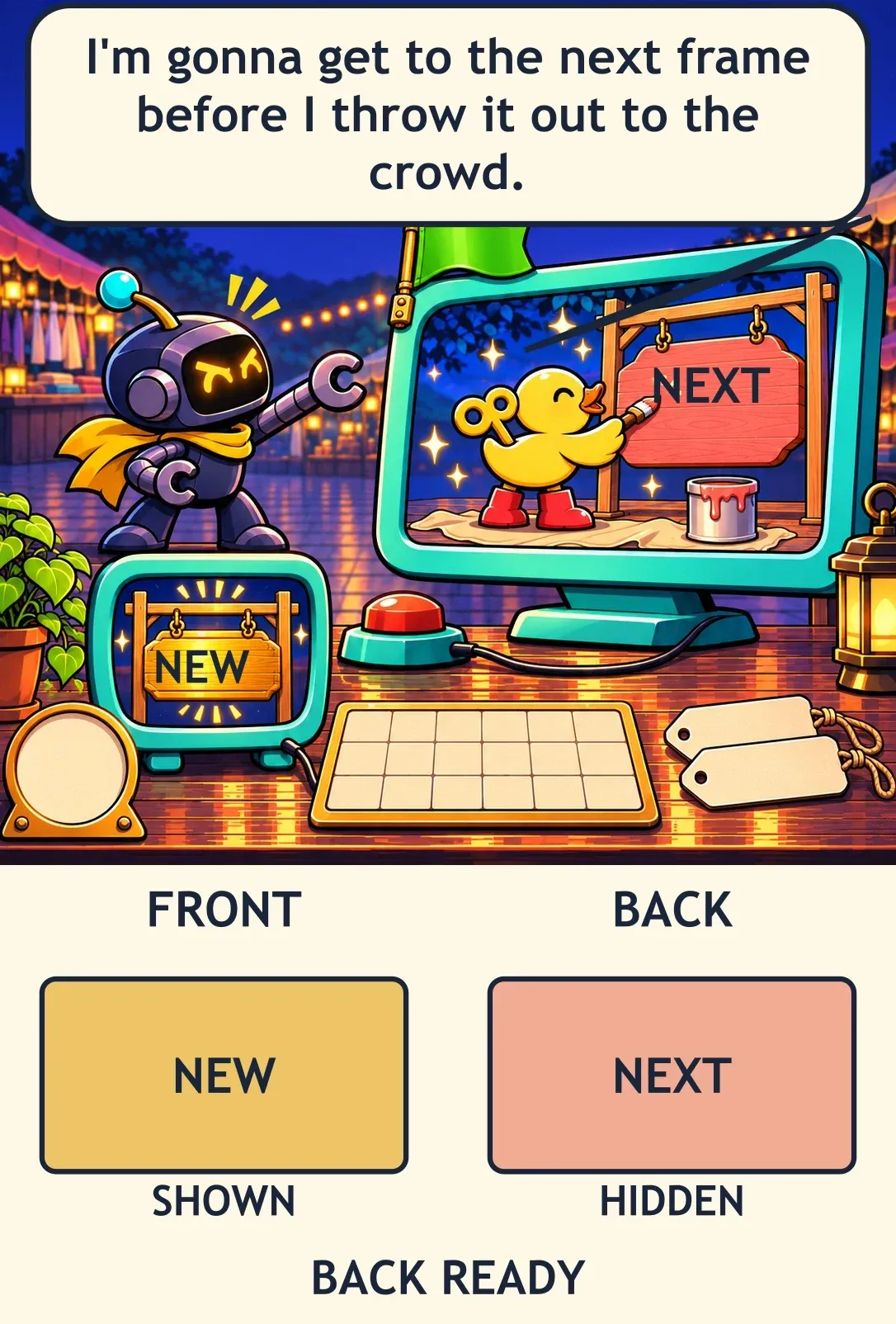
Duck completes rest of the back buffer. Robot marks it complete.
Diagram values: BACK READY
Duck: I'm gonna get to the next frame before I throw it out to the crowd.
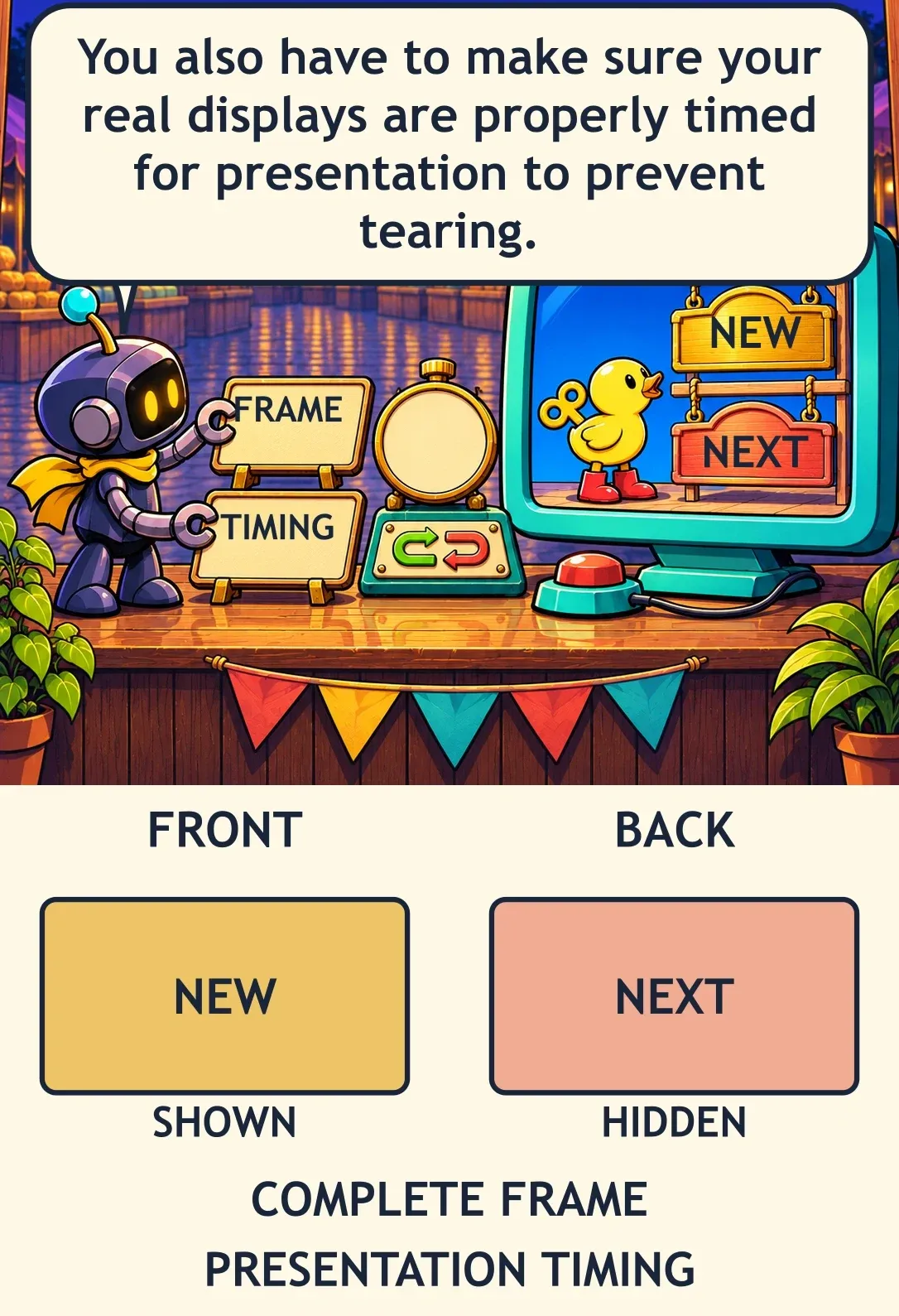
Double buffering doesn't necessarily mean a real display is not subject to tearing. Timing of presentation and the display system are important as well.
Diagram values: COMPLETE FRAME; PRESENTATION TIMING
Robot: You also have to make sure your real displays are properly timed for presentation to prevent tearing.
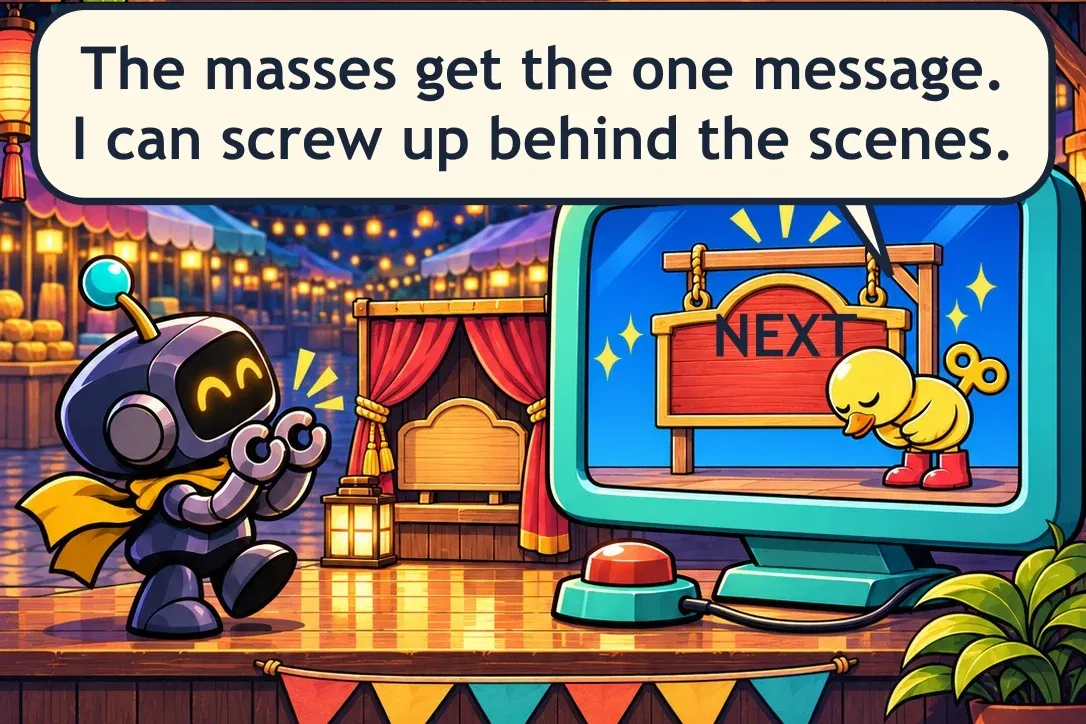
Duck bows near finished sign (inside monitor). Extra buffer is behind small curtain. Robot applauds (outside monitor).
Duck: The masses get the one message. I can screw up behind the scenes.
The lesson
While you have a complete OLD image showing, draw a NEW image into a hidden buffer. Then swap the front/back roles of both stores when you're done with the hidden one. This example swaps two different signs. After the swap, the old front sign becomes the spare sign. It still has the old image in it, but not where Duck overpainted it. Some displays actually do a copy of the finished frame instead of swapping the two buffers. That way the back buffer will still have the finished frame they just sent out. Double buffering is not enough to make sure there is no tearing in a real display. If it changes pictures partway through, it can be drawing a different picture at the top and a different one at the bottom. This is called tearing.
Try it
Diagram values: START: FRONT A COMPLETE, BACK B COMPLETE; SWAP ROLES; DRAW PART OF C INTO NEW BACK
You have a front buffer (A) with a full frame. You have a back buffer (B) with a full frame. You switch roles between A and B. Now you want to draw only part of a new frame (C) in your new back buffer. Which one is what you're seeing? Which one is being changed?
Answer
Diagram values: VISIBLE: B; CHANGING: A (BACK)
B is still the visible image until next valid presentation. Here A and B are the buffer names. Front and back are the roles which can be switched.
Sources
double buffering (opens in a new tab)
Microsoft Learn: Buffer copy and exchange (opens in a new tab)